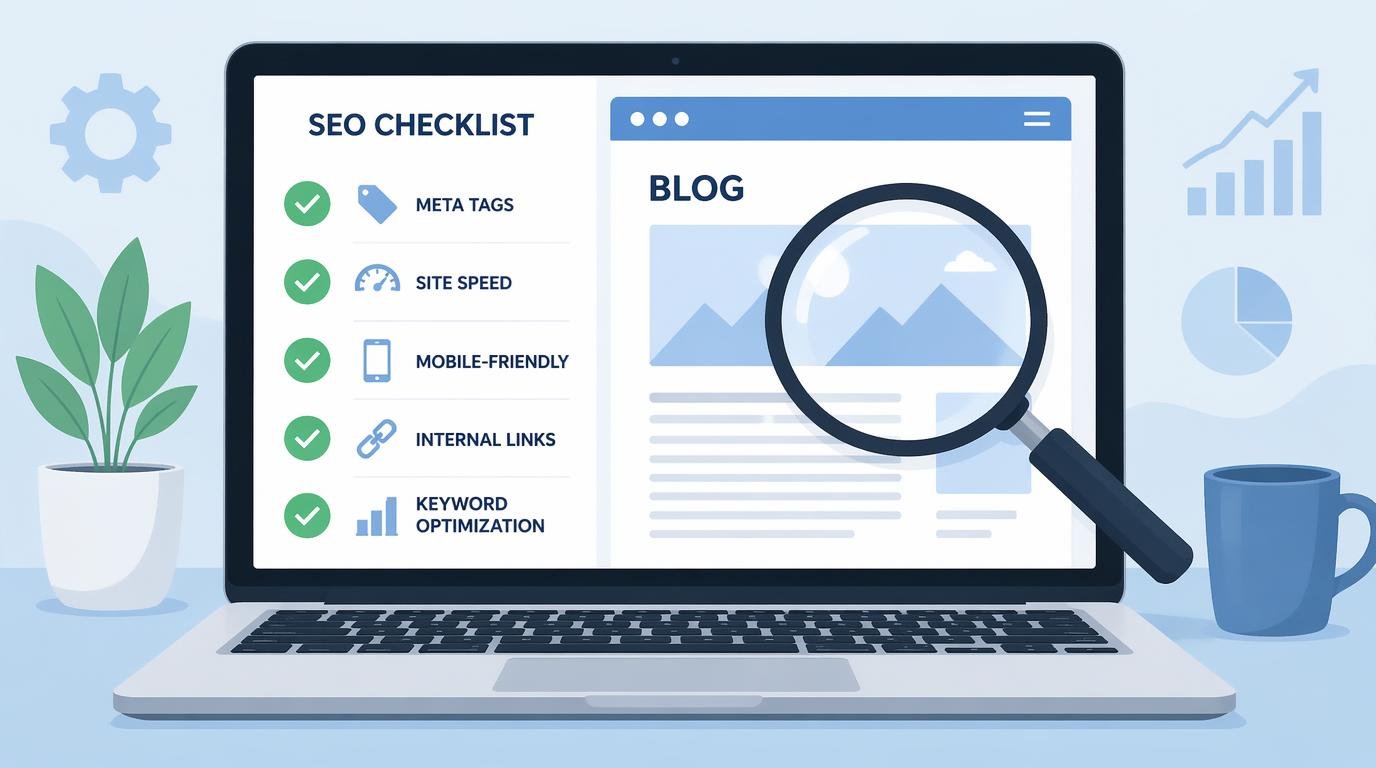
Best SEO Audit Checklist for New Blogs That Rank
Here’s a brutal truth: most new blogs fail not because the content stinks, but because nobody ever ran a proper SEO audit checklist for new blogs before (or after) hitting publish. You write 30 posts, wait six months, check your analytics, and… crickets. Sound familiar? The frustration is real — you’re putting in the work, but Google acts like your blog doesn’t exist.
The agony intensifies when you see lower-quality blogs outranking you. You know your content is better. So what gives? Nine times out of ten, it’s a technical or structural SEO issue that a simple audit would have caught on day one.
That’s exactly why I built this checklist. After spending over a decade auditing blogs — from scrappy side projects to sites pulling seven figures — I’ve distilled the entire process into one actionable, no-fluff guide. Let’s fix your blog.
Table of Contents
- What Is an SEO Audit for a New Blog?
- Technical SEO for Blogs: The Foundation
- On-Page SEO Checklist: Content That Google Loves
- Blog Ranking Strategy: Content Architecture
- Off-Page Signals and Link Building Basics
- Advanced Tactics Most Beginners Miss
- FAQ
- My Top Recommended Gear
What Is an SEO Audit for a New Blog?
An SEO audit for a new blog is a systematic review of your site’s technical health, on-page optimization, content structure, and off-page signals to identify what’s preventing Google from crawling, indexing, and ranking your pages. It covers everything from site speed and mobile responsiveness to keyword placement and internal linking — essentially a full diagnostic before you scale content production.
Think of it like taking your car to the mechanic before a cross-country road trip. You wouldn’t drive 3,000 miles without checking the brakes, right? The same logic applies to your blog. A beginner SEO audit catches the silent killers — the issues you can’t see just by reading your own posts.
I’ve audited blogs where a single misconfigured robots.txt file blocked the entire site from Google’s index. The owner had been publishing for eight months and wondering why zero pages ranked. Eight months. That’s the kind of nightmare a proper audit prevents.
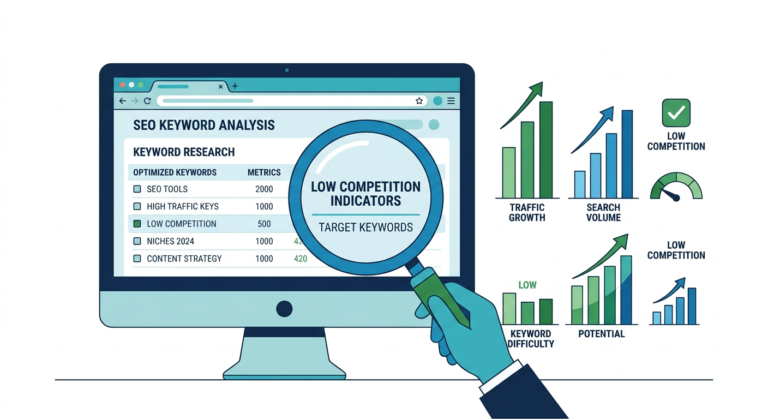
If you’re just starting out and want to pick the right keywords before you even write, check out my guide on keyword research for low-authority sites. Getting this right from the start saves you months of wasted effort.
Technical SEO for Blogs: The Foundation
Let me be blunt: if your technical SEO for blogs is broken, nothing else matters. Not your writing, not your keywords, not your fancy theme. Here’s what to check first.
Crawlability and Indexing
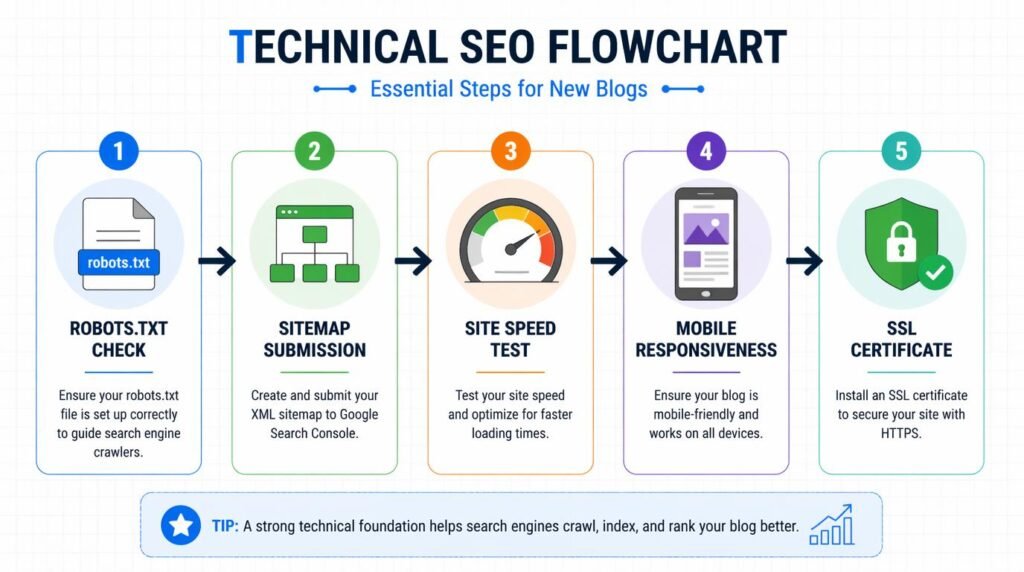
- Submit your XML sitemap to Google Search Console. If you use WordPress, plugins like Yoast or Rank Math generate this automatically. Verify it’s actually submitted — don’t assume.
- Check your robots.txt file. Navigate to yourdomain.com/robots.txt. Make sure it’s not blocking important directories. I’ve seen themes ship with “Disallow: /” baked in. Yep, that blocks everything.
- Request indexing for key pages. In Google Search Console, use the URL Inspection tool to manually request indexing for your most important pages.
- Fix crawl errors immediately. 404s, server errors, redirect chains — clean them all up. Google allocates a crawl budget even to small sites, and wasting it on broken URLs is criminal.
Site Speed and Core Web Vitals
- Test with Google PageSpeed Insights. Aim for a mobile score above 75. Below 50? You have serious work to do.
- Compress images. I use WebP format and keep hero images under 150KB. Tools like ShortPixel or Squoosh handle this effortlessly.
- Eliminate render-blocking resources. Defer non-critical JavaScript. Lazy-load images below the fold.
- Choose fast hosting. Cheap shared hosting is a trap. Your $3/month plan is costing you rankings. Period.
Mobile Responsiveness
Google uses mobile-first indexing — meaning it primarily crawls and ranks the mobile version of your site. Use Google’s Mobile-Friendly Test and fix every issue it flags. Over 60% of web traffic comes from mobile devices, according to Statista’s global mobile traffic data. If your blog looks busted on a phone, you’re invisible to more than half your potential audience.
HTTPS and Security
If your site still runs on HTTP, stop reading and fix that first. Free SSL certificates through Let’s Encrypt or your hosting provider take five minutes to set up. Google has confirmed HTTPS as a ranking signal since 2014. There’s zero excuse in 2024. IMO, any host that doesn’t offer free SSL isn’t worth your money.
On-Page SEO Checklist: Content That Google Loves
This is where most new blog SEO tips articles get vague. I won’t. Here’s the exact on-page SEO checklist I run on every single post I publish.
Title Tags and Meta Descriptions
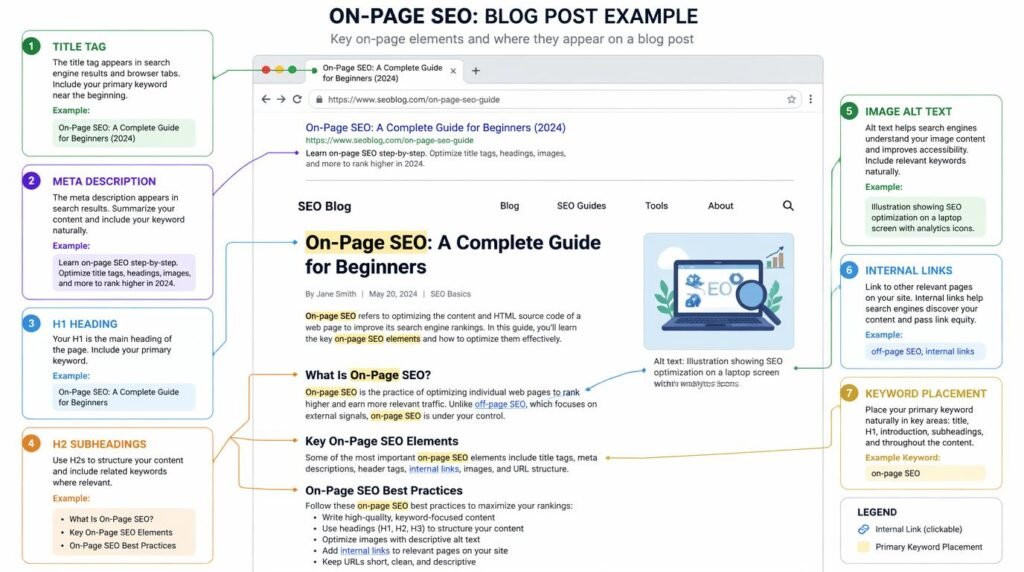
- Put your primary keyword within the first 60 characters of your title tag. Front-loading keywords still works. Google truncates titles around 60 characters on desktop.
- Write a compelling meta description (150–160 characters). This doesn’t directly affect rankings, but it dramatically affects click-through rate. And CTR absolutely influences rankings over time.
- Make every title tag unique. Duplicate titles confuse Google and dilute your ranking potential across pages.
Header Structure (H1–H3)
- Use exactly one H1 per page — your post title.
- Use H2s for main sections, H3s for subsections. This isn’t just aesthetics; it’s how Google understands content hierarchy.
- Include secondary keywords naturally in your H2s. “Blog SEO checklist” and “blog ranking strategy” should appear in headers when relevant.
Keyword Placement
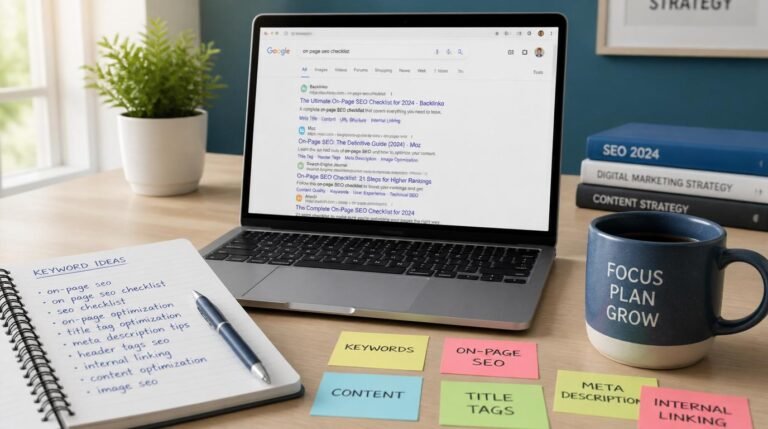
- Target keyword in the first 100 words (you’ve seen me do this above).
- Target keyword in at least one H2.
- Target keyword in the URL slug.
- Target keyword in the image alt text of your featured image.
- Secondary keywords sprinkled naturally — 2–4 times each throughout the body.
Want a deeper dive into how to drive real traffic with these fundamentals? I break down the full process in my traffic SEO guide.
Internal Linking
This is criminally underused by new bloggers. Every post should link to 3–5 other relevant posts on your site. Internal links distribute authority, help Google discover new pages, and keep readers on your site longer. I treat my blog like a web, not a list of disconnected pages.
Blog Ranking Strategy: Content Architecture
Here’s where I see the biggest gap between blogs that rank and blogs that collect dust. It’s not about individual posts — it’s about content architecture.
Topic Clusters and Pillar Pages
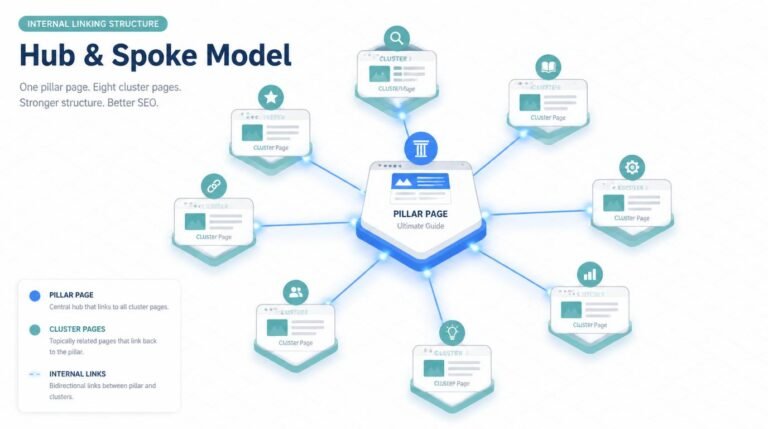
Stop publishing random posts. Build topic clusters instead. Pick a core topic (your pillar), then create 8–15 supporting articles that link back to it. Google rewards topical authority — a blog with 20 interconnected posts about “email marketing” will outrank a blog with 1 brilliant post on the same topic.
Here’s the structure I use:
- Pillar page: Broad, comprehensive (2,000+ words), targets a high-volume keyword.
- Cluster posts: Specific, detailed (1,000–1,500 words), target long-tail keywords.
- Interlinking: Every cluster post links to the pillar. The pillar links to every cluster post.
Myth Busting: “Just Write Great Content”
Can we retire this advice already? “Great content” without SEO structure is a diary. I’ve seen beautifully written blogs with zero organic traffic because they ignored keyword intent, published with no internal links, and never optimized a single meta tag. Great content is necessary but nowhere near sufficient. The SEO basics for bloggers — the boring structural stuff — is what makes great content discoverable.
If you’re running an affiliate blog specifically, the strategy shifts even further. I cover the nuances in my SEO for affiliate marketing guide.
Expert Commentary: This video from Ahrefs walks through a practical SEO audit process step-by-step — it’s one of the clearest beginner-friendly tutorials I’ve found, and it complements the checklist in this post perfectly.
Off-Page Signals and Link Building Basics
I’m not going to sugarcoat this: backlinks still matter. A lot. But for a new blog, the approach needs to be strategic, not spammy.
What Actually Works for New Blogs
- Guest posting on relevant sites. Not random blogs — sites in your niche with real traffic. One quality guest post beats 50 low-quality directory links.
- HARO (Help A Reporter Out) and similar platforms. Respond to journalist queries in your expertise area. These earn high-authority links from news sites.
- Creating linkable assets. Original research, comprehensive guides, free tools, or unique data visualizations. People link to resources, not opinions.
- Digital PR. If you have original data or survey results, pitch them to industry publications. According to Moz’s research on domain authority, quality backlinks remain one of the strongest ranking correlations.
What to Avoid (Seriously, Don’t)
- Buying links from Fiverr or link farms. Google’s spam detection has gotten terrifyingly good.
- Comment spam. It’s 2024, not 2009.
- PBNs (Private Blog Networks). They work until they don’t — and when Google catches on, your entire site gets nuked. Not worth the risk for a new blog. 🙂
Advanced Tactics Most Beginners Miss

Schema Markup
Adding structured data (FAQ schema, Article schema, HowTo schema) gives Google explicit context about your content. I add FAQ schema to almost every informational post. It can trigger rich snippets in search results, which dramatically increases your click-through rate. The Google Structured Data documentation is the definitive resource here.
Content Pruning
Wait, what? Delete content on a new blog? Yes — sometimes. If you published 10 posts during your “figuring things out” phase and they’re thin, off-topic, or targeting impossible keywords, they’re dragging your site quality down. Either improve them substantially or noindex them. Quality over quantity. Always. TBQH, most new bloggers need to hear this more than they need another “write more content” pep talk.
Log File Analysis
This one’s nerdy, but powerful. Download your server logs and see exactly how Googlebot crawls your site. You’ll discover which pages get crawled frequently, which get ignored, and where crawl budget gets wasted. Tools like Screaming Frog can parse log files. Most beginners never do this — which is exactly why it’s an edge.
E-E-A-T Signals
Experience, Expertise, Authoritativeness, and Trustworthiness. Google cares deeply about who writes your content. Add a detailed author bio with credentials, link to your social profiles, get mentioned on other authoritative sites, and demonstrate first-hand experience in your content. Why should Google trust your blog over the other 600 million? That’s the question E-E-A-T answers.
FAQ
How often should I run an SEO audit on my new blog?
For a new blog, I recommend running a full SEO audit every 30 days for the first six months. After that, a quarterly audit works well. However, you should monitor Google Search Console weekly for crawl errors, indexing issues, and sudden traffic drops. Catching problems early prevents small issues from snowballing into ranking disasters.
What free tools can I use for a beginner SEO audit?
Google Search Console, Google PageSpeed Insights, Screaming Frog (free up to 500 URLs), Ubersuggest (limited free tier), and Ahrefs Webmaster Tools are excellent free options. These tools cover crawlability, indexing, site speed, and basic backlink analysis. You don’t need to spend a dime until your blog starts generating revenue.
Does my new blog really need technical SEO?
Absolutely. Technical SEO for blogs is the foundation everything else sits on. Without proper crawlability, a valid sitemap, fast load times, and mobile responsiveness, even the best content will struggle to rank. Think of it as building a house — you need the foundation before the walls.
How long before my new blog starts ranking after an SEO audit?
Realistically, expect 3 to 6 months before you see meaningful ranking improvements from SEO fixes on a new blog. Google needs time to crawl, index, and trust your site. Consistent publishing, solid on-page SEO, and quality backlinks accelerate this timeline. Patience isn’t optional here — it’s required.
My Top Recommended Gear
These are the tools and resources I personally use or recommend to every new blogger serious about SEO. They’ve saved me countless hours and helped my sites rank faster.
- SEO Books for Beginners — Invest in foundational knowledge. A solid SEO book gives you the mental framework that no tool can replace. I still revisit the fundamentals regularly.
- Keyword Research Tools — Whether it’s a dedicated device for research or a subscription tool, having the right keyword research setup is non-negotiable for any blog SEO checklist.
- Website Speed Optimization Resources — From CDN subscriptions to image optimization tools, faster sites rank higher. Google has made this abundantly clear.
Disclaimer: This post contains affiliate links. As an Amazon Associate, I may earn a commission from qualifying purchases at no additional cost to you.