

Proven Workflow Automation for Bloggers to Grow Faster
Workflow automation for bloggers isn’t some luxury reserved for six-figure content empires. It’s the difference between the blogger who publishes three times a week without breaking a sweat and the one who spends eleven hours on a single post and still forgets to share it on Pinterest. I’ve watched talented writers quit blogging entirely—not because they ran out of ideas, but because they drowned in the repetitive grunt work surrounding every post. That’s the real problem.
The agitation? Every hour you spend copy-pasting social captions or manually formatting images is an hour stolen from the creative work that actually grows your traffic. The solution is ruthlessly systematic: you build a content workflow that runs on autopilot so your brain stays free for strategy and storytelling.
Table of Contents
- What Is Workflow Automation for Bloggers?
- Why Most Bloggers Burn Out (And How Automation Fixes It)
- The Core Content Workflow You Should Automate
- My Favorite Blogging Automation Tools (That Actually Work)
- Advanced Tactics: Building a Content System That Scales
- Common Myths About Blogging Automation — Busted
- How to Get Started in Under 30 Minutes
- Frequently Asked Questions
- My Top Recommended Gear
What Is Workflow Automation for Bloggers?
Workflow automation for bloggers is the practice of using software, templates, and predefined triggers to execute repetitive blogging tasks—like scheduling, social distribution, SEO checks, and editorial management—without manual intervention every single time. Think of it as hiring a tireless intern who never forgets a step and works at 3 AM.
At its core, blogging automation connects discrete steps in your publishing process so one action triggers the next. You finish a draft → the system moves it to the editing queue → a Slack notification pings your editor → the approved post auto-schedules for Thursday at 8 AM → social snippets queue across four platforms. No sticky notes. No “oh crap, I forgot Twitter.” If you’ve been doing all of this by hand, you’re essentially choosing to wash your clothes at a river when a washing machine sits in the next room.
Research from the McKinsey Global Institute estimates that roughly 60% of all occupations have at least 30% of activities that can be automated. Blogging is no exception. If you want a deeper primer on how AI fits into this picture, I break it down in my guide on AI automation.
Why Most Bloggers Burn Out (And How Automation Fixes It)

Let me be blunt: blogging is 30% writing and 70% operations. Keyword research, formatting, image sourcing, alt-tag writing, internal linking, meta descriptions, social captions for five platforms, email newsletter copy, analytics review… it stacks up fast. A study from Orbit Media’s annual blogging survey found the average blog post now takes over four hours to produce. Four hours! And that doesn’t count distribution.
When you manually handle every micro-task, you burn decision-making energy on things that don’t require your unique creative brain. Psychologists call this decision fatigue, and Harvard researchers have documented how it degrades the quality of later choices. So by the time you sit down to actually write, your brain is already fried from formatting yesterday’s post. IMO, that’s the silent killer of great blogs.
Automation solves this by removing you from the loop on tasks that follow predictable, repeatable patterns. Your creativity stays protected. Your output goes up. And you stop dreading your own editorial calendar.
The Core Content Workflow You Should Automate
Here’s the content workflow I’ve refined over a decade. Every stage has at least one automation opportunity. If you’re new to AI and automation concepts, don’t worry—none of this requires coding.
- Ideation & Research: Use tools like Ahrefs or SEMrush keyword alerts to auto-deliver topic opportunities to your inbox weekly. Set up Google Alerts for niche terms. Stop brainstorming from scratch every Monday morning.
- Outlining: Create a reusable blog post template in Notion or Google Docs. My template includes H2 placeholders, an SEO checklist, and internal link slots. I duplicate it for every new post in two clicks.
- Drafting: AI writing assistants can generate rough first drafts or specific sections. You still rewrite and inject your voice, but the blank-page paralysis disappears.
- Editing & QA: Grammarly or Hemingway runs automatically. SurferSEO scores your on-page optimization in real time. I set a Zapier trigger so that when a draft moves to “Ready for Review” in my Trello board, my editor gets an automatic email.
- Publishing: Schedule posts inside WordPress. Use a plugin like PublishPress to queue content days or weeks ahead.
- Distribution: Buffer, Hootsuite, or Publer auto-post to social channels the moment your article goes live. One Zapier “zap” can push your new post to Twitter, LinkedIn, Facebook, Pinterest, and your email list simultaneously.
- Analytics & Iteration: Google Looker Studio dashboards auto-update with traffic data. I review once a week instead of compulsively refreshing Google Analytics.
That seven-step pipeline? Every single stage has a manual bottleneck you can eliminate. The bloggers who build content systems like this publish 2–3x more than those who wing it.
My Favorite Blogging Automation Tools (That Actually Work)
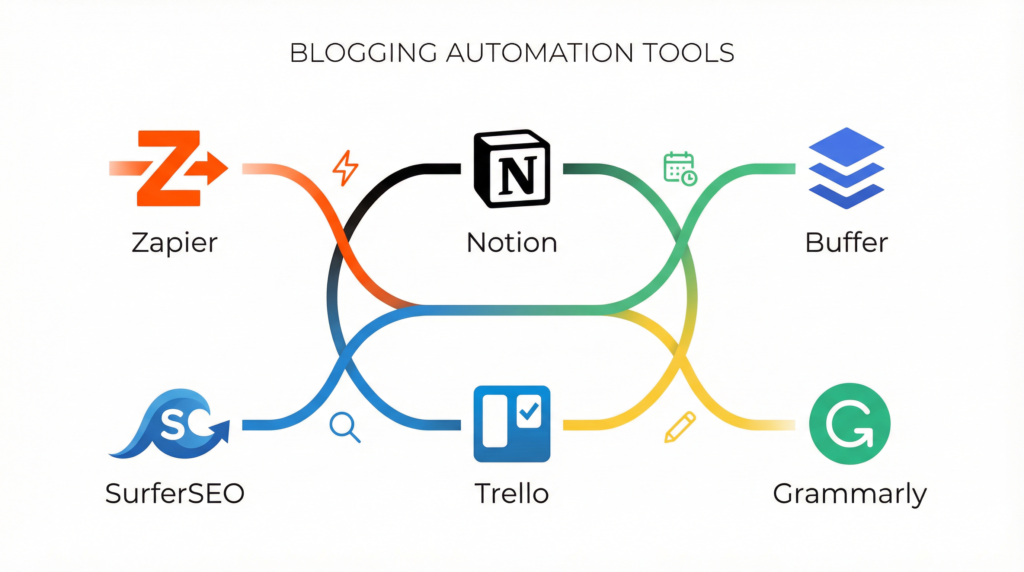
I’ve tested dozens of blogging tools over the years. Most are mediocre. Here are the ones that actually moved the needle for my blog productivity:
- Zapier / Make (Integromat): The backbone of any serious automation stack. I connect WordPress, Google Sheets, Slack, Buffer, and my email platform so they talk to each other without me playing middleman.
- Notion: My editorial command center. Every post lives as a database entry with status columns (Idea → Outline → Draft → Editing → Scheduled → Published). Automations move cards and notify collaborators.
- SurferSEO: Real-time content scoring against top-ranking competitors. It tells me exactly which secondary keywords I’m missing and how many times to use them. Huge time saver versus manual SERP analysis.
- Buffer: Lightweight social scheduling. I batch-create two weeks of social posts in one sitting, and Buffer drip-feeds them on optimal schedules.
- Grammarly: Not glamorous, but it catches 90% of my typos before any human editor sees the draft. That’s automation doing what it does best: handling the mundane so people can handle the meaningful.
A quick reality check: tools alone don’t save you. A fool with a tool is still a fool. You need the workflow first, then you layer tools on top. I’ve seen bloggers buy seven different apps and still operate in chaos because they never mapped their process.
Expert Commentary: This video walks through practical automation setups for content creators step-by-step—worth watching if you prefer a visual walkthrough of the exact tool integrations I described above.
Advanced Tactics: Building a Content System That Scales
Ready to go beyond beginner blog workflow tips? Good. Here’s where the real leverage lives.
1. Content Repurposing Chains. Every blog post should automatically spawn at least three derivative assets. I use a Zapier workflow: new WordPress post triggers a task in Notion to create a Twitter thread, a LinkedIn carousel outline, and a YouTube script skeleton. The derivative content is still human-written, but the prompt to create it is automated. Zero chance I forget.
2. Conditional Publishing Logic. With tools like Make, you can build “if/then” scenarios. Example: IF a draft’s SurferSEO score is below 70, THEN move it back to “Needs Revision” instead of scheduling it. You’re essentially building quality gates into your pipeline. TBH, this single automation eliminated 80% of my underperforming posts.
3. Automated Internal Linking Audits. I run a monthly Screaming Frog crawl and pipe the orphan page report into a Google Sheet. A script highlights any post with fewer than two internal links, and I batch-fix them. Internal linking is one of the most underrated SEO levers, and automating the audit ensures nothing slips through the cracks.
If you’re looking for ways to monetize these efficiency gains, check out my breakdown of AI side hustles for 2026—because faster output directly translates to faster revenue when you know where to point it.
Common Myths About Blogging Automation — Busted

Myth #1: “Automation makes your blog feel robotic.” Nope. Automation handles distribution and operations. Your voice stays yours. Nobody reading your post knows (or cares) whether you manually clicked “Publish” or a scheduler did it at 6 AM while you slept.
Myth #2: “You need to be technical to set this up.” If you can drag and drop, you can use Zapier. Modern automation for content creators requires zero code. Seriously. The interfaces are built for creative people, not engineers.
Myth #3: “It’s expensive.” Zapier has a free tier. Notion is free for individuals. Buffer’s free plan handles three social channels. You can build a solid content workflow for literally $0 to start. Scale into paid plans only when your volume justifies it.
Myth #4: “I’ll automate myself out of a job.” This is the funniest one. Have you ever met a blogger who ran out of things to write? Automation doesn’t replace your thinking—it frees you to do more of it. The bottleneck is never “I automated too much.” It’s always “I wasted too much time on tasks a machine should handle.”
How to Get Started in Under 30 Minutes
Don’t overthink this. Here’s a dead-simple starting point:
- Minute 0–10: Map your current process on paper. Seriously, grab a pen. Write every step from idea to published-and-shared. Circle the three most repetitive steps.
- Minute 10–20: Create a free Zapier account. Build one “zap” that connects your blog’s RSS feed to your social media scheduler (Buffer or Hootsuite). Now every new post auto-shares. That’s your first automation win.
- Minute 20–30: Duplicate a Notion editorial calendar template (there are hundreds of free ones). Drop your next five post ideas into it with status tags. You now have a visual content system instead of a chaotic Google Doc.
That’s it. Thirty minutes and you’ve automated social distribution and organized your pipeline. You’ll feel the difference within a week. Then you iterate: add an editing automation, then a repurposing trigger, then an analytics dashboard. Layer by layer, your blog transforms from a side project into a production machine 🙂
According to Bureau of Labor Statistics data, demand for writers and content creators continues to grow—which means the bloggers who can produce quality content efficiently will win disproportionately. Speed plus quality is the moat.
Frequently Asked Questions
What is workflow automation for bloggers?
Workflow automation for bloggers is the practice of using software tools and systems to handle repetitive blogging tasks automatically—such as scheduling posts, distributing content to social media, managing editorial calendars, and optimizing SEO—so bloggers can focus on writing and strategy.
What are the best blogging automation tools in 2025?
Top blogging tools for automation in 2025 include Zapier and Make (Integromat) for connecting apps, Notion or Trello for editorial workflow management, Buffer or Hootsuite for social scheduling, SurferSEO for content optimization, and AI writing assistants like Jasper for draft generation.
Can automation hurt my blog’s authenticity?
No, when used correctly. Automation handles repetitive mechanical tasks like scheduling and distribution. Your voice, ideas, and editorial judgment remain human. The best bloggers automate the boring stuff so they can invest more energy into authentic, high-quality content.
How much time can blogging automation save per week?
Most bloggers who implement a solid content workflow automation system report saving 8 to 15 hours per week. Tasks like social media posting, image resizing, internal linking suggestions, and email newsletter scheduling are among the biggest time-savers.
My Top Recommended Gear
These are physical tools and resources I personally use to support my blogging workflow. Good hardware matters when you’re spending hours at the keyboard every day.
- Logitech MX Keys Wireless Keyboard — The best typing experience I’ve found for long-form content work. Backlit, multi-device, and the key travel is perfect. Check price on Amazon
- BenQ ScreenBar Monitor Light — Reduces eye strain during late-night writing sessions. Clamps to your monitor, saves desk space. Game changer for productivity. Check price on Amazon
- Moleskine Classic Notebook — Yes, I still outline on paper before going digital. There’s something about pen-to-paper brainstorming that no app replicates. Check price on Amazon
Disclaimer: This post contains affiliate links. As an Amazon Associate, I may earn a commission from qualifying purchases at no additional cost to you.