Transparency Note: We may earn a commission from links on this page at no cost to you.

30-Day Traffic & SEO Plan: Intent Match + CTR + Link Power

traffic & SEO

Traffic & SEO plan. If you want more search traffic in the next 30 days, do these three things before you “create more content”: (1) In Google Search Console, sort queries by impressions and find pages sitting in positions 6–20—those are your fastest lifts. (2) Rewrite the title tag and first 120 words to match the dominant intent of the query (informational vs. commercial vs. local) and make the answer visible without scrolling. (3) Add 5–10 internal links from relevant pages using descriptive anchors that read like a human wrote them. That combination—intent alignment + CTR improvement + internal authority flow—beats publishing another “ultimate guide” you can’t promote.

This pillar is the playbook I use to build durable, compounding traffic systems: measurable, technically sound, editorially scalable, and conversion-aware—especially on WordPress.

Table of Contents

Traffic & SEO Reality Check (What Actually Moves the Needle)

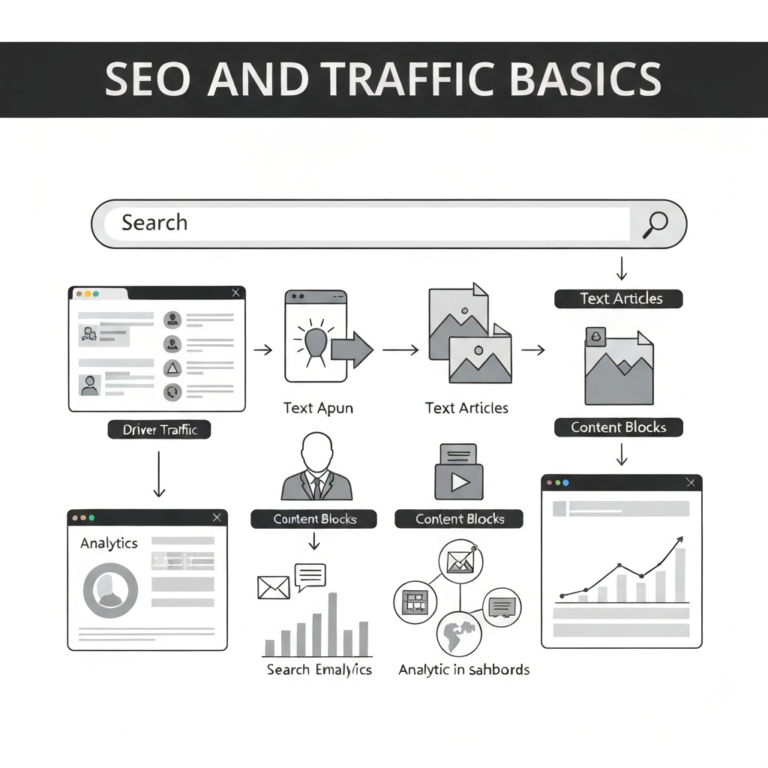
SEO isn’t a checklist. It’s a system where three forces interact: demand (what people search), delivery (how well your pages satisfy intent), and distribution (how your site earns visibility through links, mentions, and engagement signals that correlate with usefulness).

When people say “SEO is dead,” what they usually mean is: low-effort content, generic link building, and copycat keyword targeting stopped working for them. That’s not a funeral. That’s a filter.

What I see working consistently

  • Intent-matched pages that answer quickly, then go deeper for the serious reader.
  • Topic clusters that prove you’re not dabbling—you cover the subject with structure and internal links.
  • Technical cleanliness: fast pages, crawlable templates, stable indexing, no accidental duplication.
  • Authority signals that look like the real world: citations, partnerships, expert inputs, original data, and editorial QA.
  • Conversion alignment: the page that ranks should lead naturally to the next step, not dump the reader into a dead end.

If you want to anchor your approach in what Google explicitly documents, start with Google Search Central Documentation (it explains crawling, indexing, and ranking systems at a practical level without myths) and pair it with web.dev Core Web Vitals (a clear reference for user experience metrics and performance thresholds).

Expert judgment moment: If your site is new or has low authority, chasing high-volume head terms is usually an ego project. The fastest compounding path is often “boring”: long-tail queries where you can be the best answer, plus internal-linking them into a cohesive cluster so Google can confidently rank you for broader terms over time.

Define the Traffic Outcome (So You Don’t Optimize the Wrong Thing)

“More traffic” is not a strategy. Qualified traffic is. Before you touch keywords or plugins, decide what a win looks like in numbers and behavior.

The four traffic outcomes (pick one primary)

  1. Revenue now: leads, trials, bookings, ecommerce purchases.
  2. Pipeline later: email list growth, retargeting audiences, webinar registrations.
  3. Brand footprint: visibility for category terms, reputation queries, and “best of” comparisons.
  4. Audience asset: recurring traffic from subscribers/community, not just one-off visits.

Practical examples (what changes based on the outcome)

  • Local service business: prioritize location + service pages, reviews, and conversion UX (calls, forms, maps). Supporting blog content should answer pre-sale questions (“cost,” “timeline,” “permits”).
  • B2B SaaS: prioritize comparison pages, integration pages, and “jobs-to-be-done” use cases. Informational posts should feed product-led pathways (templates, calculators, demos).
  • Affiliate site: prioritize commercial investigation content with tight intent matching (“best,” “vs,” “review”), plus informational clusters that earn links and internal authority.

To operationalize this, I like creating a one-page “traffic thesis” and sharing it with anyone who writes, edits, or touches the site. If you want a starting template, add an internal resource like our one-page SEO strategy brief and keep it updated quarterly.

traffic & SEO

Build a Measurement Stack You Can Trust

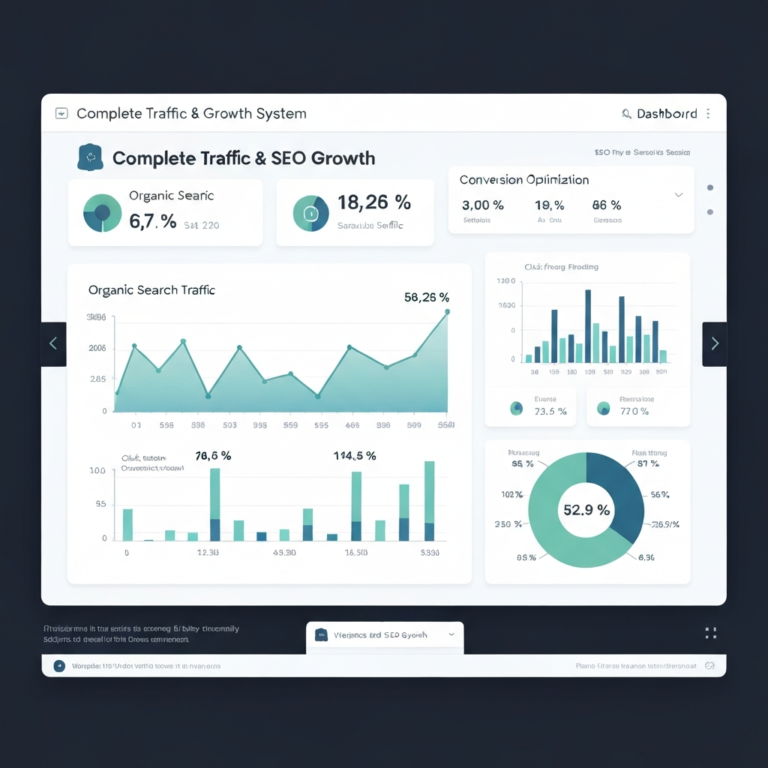
Most “SEO reporting” is a vibe: a screenshot of traffic going up or down, followed by guesses. Real systems separate visibility (impressions/rank/CTR) from value (leads/sales/qualified engagement), and they treat tracking as production infrastructure—not a one-time setup.

The minimum viable measurement stack

  • Google Search Console: query/page impressions, CTR, average position, indexing status.
  • Analytics (GA4 or equivalent): conversions, engagement, channel mix, landing page performance.
  • Rank tracking: optional early on; essential when you’re managing many clusters and markets.
  • CRM or lead tracking: to connect SEO landings to revenue (even if it’s “soft attribution”).

Set up Search Console properly and use its native reports before buying anything. Google Search Console is the closest thing you’ll get to “first-party SEO truth” from Google (it shows how your site appears in search, what queries triggered impressions, and where indexing breaks).

What to measure weekly vs. monthly

Weekly: index coverage issues, sudden CTR drops on top pages, new queries entering positions 10–30, and conversion rate changes for SEO landings.

Monthly: cluster-level growth, content decay (pages losing impressions), assisted conversions, and internal link coverage.

A simple dashboard that avoids self-deception

MetricToolWhy it matters
Impressions (by query)Search ConsoleShows demand + whether Google considers you relevant.
CTR (by page)Search ConsoleMeasures snippet competitiveness and intent alignment.
Conversions from organic landing pagesGA4/CRMPrevents you from celebrating junk traffic.
Indexing errors / excluded pagesSearch ConsoleCatches technical failures before they become “SEO declines.”

If you need step-by-step implementation guidance, link internally to a setup walkthrough such as our GA4 + Search Console configuration checklist and keep it tied to your current theme/plugins (WordPress changes can quietly break events).

Expert judgment moment: Don’t obsess over “average position” as a KPI. It’s easily distorted by personalization, mixed intents, and long-tail query spread. If you want one SEO metric that correlates with business outcomes, track organic conversions per indexed page at the cluster level. It forces quality control.

Keyword Strategy That Doesn’t Collapse in 90 Days

Most keyword lists are just CSV graveyards. The goal isn’t “find keywords.” The goal is to build a map of intent that tells you what pages you need, how they connect, and what success looks like per page.

Start with SERP reality, not tool volume

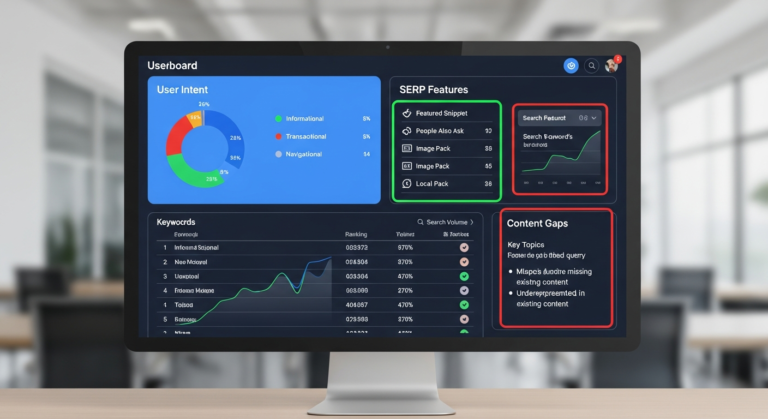
Before you commit to a keyword, open the search results and ask: What format is Google rewarding? Is the first page dominated by product pages, listicles, forum threads, tools/calculators, local packs, or how-to guides? If your page format doesn’t match the pattern, you’re asking Google to do you a favor.

Use keyword tools for expansion, but validate with SERPs. If you’re building a process around this, add an internal reference like our SERP analysis worksheet so writers stop guessing at intent.

A durable keyword model: Core + Support + Proof

  • Core terms: your primary commercial or mission terms (often competitive).
  • Support terms: long-tail questions and subtopics that build topical depth.
  • Proof terms: “best,” “vs,” “review,” “pricing,” “near me,” and other bottom-funnel modifiers that prove monetization.

Keyword-to-page mapping (the part most teams skip)

Every meaningful query should have a single “best” URL on your site. When multiple pages chase the same intent, you get cannibalization: diluted links, diluted relevance, unstable rankings.

Build a map with these columns:

  • Target query + close variants
  • Intent type (informational/commercial/transactional/local)
  • Primary URL (existing or new)
  • Supporting cluster URLs
  • Internal links required (from which pages)
  • Conversion action (CTA)
  • Refresh date (yes, schedule it now)

For a practical template, reference something like our keyword-to-URL mapping spreadsheet.

How to choose battles when you have limited authority

Here’s a rule that saves months: if the SERP is stacked with household names and the content looks like it required a research team, don’t “outwrite” them. Out-position them.

  • Target a narrower scenario (industry, role, location, tool stack).
  • Build a stronger page type (interactive tool, template, dataset).
  • Ship faster updates (freshness wins in many niches).

Topical Authority Architecture: Pillars, Clusters, and Internal Links

Topical authority isn’t a magic score. It’s what happens when search engines repeatedly see you cover a subject comprehensively, with clear internal structure and consistent quality. The fastest way to build it is to treat content like a library, not a feed.

The pillar + cluster model (done without fluff)

Pillar page: the “hub” that covers the full topic at a high level, designed to rank for the broad term and route readers to deeper pages.

Cluster pages: narrower, intent-specific articles that fully answer a subproblem and link back to the pillar.

Internal linking as an authority engine

Internal links do three things simultaneously:

  • Discovery: helps crawlers find and prioritize pages.
  • Context: anchors describe what the destination is about.
  • Distribution: spreads internal authority from strong pages to strategic pages.

In practice, I build internal linking in three layers:

  1. Navigation layer: menus, breadcrumbs, category hubs (stable, site-wide).
  2. Editorial layer: in-content links that connect concepts naturally (highest leverage).
  3. Utility layer: “related guides,” “next steps,” and footer resources (supporting role).

To avoid over-optimization, vary anchors naturally. Compare these:

  • Too rigid: “best SEO tools” repeated everywhere.
  • Better: “tools I use to audit technical SEO,” “SEO crawling software,” “how I check indexation problems.”

If you want a process that scales across multiple writers, build an internal standard like our internal linking rules of thumb (anchor diversity, link placement, and when to link to product pages).

Content pruning vs. content refreshing

When traffic drops, teams panic and publish new posts. Often the correct move is simpler: refresh what already has history, links, and indexation.

Expert judgment moment: Delete content only when it’s irredeemably off-topic, thin, or harmful—and you can 301 it to a stronger relevant page. Otherwise, refresh it. A refreshed page can regain positions faster than a new URL can earn trust, especially on smaller sites.

Build a refresh cadence by linking internally to something like our content update schedule framework, so updates are a system, not a scramble.

How to Build Pages That Win the Click (and the Ranking)

Ranking is only half the job. If you don’t win the click, your impressions won’t turn into sessions. If you win the click but don’t satisfy the search, your rankings won’t hold.

What “good on-page SEO” looks like in 2026

  • Fast clarity: the reader can confirm they’re in the right place within seconds.
  • Depth with structure: headings that match real sub-questions, not filler.
  • Evidence: examples, screenshots, numbers, decision criteria, constraints.
  • Credible authorship: who wrote it, why they know, how it’s maintained.
  • Clean UX: no pop-up ambush on first scroll, no ad density that buries content.

Title tags: write for humans who skim

A title tag should be specific enough to signal relevance, but not so stuffed it reads like a ransom note. My working format:

  • Primary intent + outcome: “Traffic & SEO: A Practical System for Consistent Growth”
  • Modifier when useful: “for WordPress,” “for local businesses,” “with small budgets”

Meta descriptions: treat them like ad copy (but honest)

Meta descriptions don’t directly rank, but they influence clicks. Use them to set expectations: what the reader will get, who it’s for, and what’s different about your page.

Above-the-fold: answer first, then expand

Many pages bury the answer under a long “what is SEO” prologue. Don’t. A good pattern is:

  1. Direct answer / framework (3–6 sentences)
  2. Quick steps (bulleted)
  3. Deeper explanation (sections)
  4. Examples and edge cases

Use “decision content” to outperform generic guides

Generic guides explain. Decision content helps someone choose. That’s a major reason certain pages earn links naturally.

Examples of decision content:

  • “If you have 2 hours/week, do X; if you have a writer, do Y.”
  • “If your market is seasonal, publish these pages 60 days before peak.”
  • “If your conversion is a phone call, track it this way.”

To systematize page quality, create an editorial standard and link it internally: our content brief template for SEO pages.

E-E-A-T signals you can actually implement

“E-E-A-T” gets talked about like a mystical ranking factor. Treat it as a publishing standard: make it obvious you’re qualified and accountable.

  • Author bios: include relevant experience and a way to verify identity (LinkedIn, credentials, portfolio).
  • Editorial policy: how you test products, cite sources, and update content.
  • Contact clarity: real contact info and business details (especially for YMYL-ish topics).
  • Citations: link to primary sources where appropriate.

For accessibility and UX standards that overlap with trust, W3C WCAG 2.1 is a practical reference (it outlines accessibility criteria that often improve usability and reduce pogo-sticking).

traffic & SEO

Technical SEO for WordPress (Without Breaking Your Site)

WordPress can rank extremely well, but the default ecosystem invites bloat: too many plugins, heavy themes, duplicated archives, and page builders that generate messy markup. Technical SEO isn’t about perfection. It’s about removing friction that prevents your best content from being crawled, understood, and enjoyed.

Crawlability & indexation: the unglamorous foundation

If Google can’t reliably crawl and index your important pages, everything else is theater. Use Search Console’s indexing reports, and validate your robots directives.

For the standard that defines robots.txt behavior, reference RFC 9309 (Robots Exclusion Protocol) (it clarifies how crawlers interpret robots rules and prevents “I blocked my site by accident” mistakes).

Common WordPress indexation traps

  • Tag archives indexed with thin content and duplicate titles.
  • Attachment pages indexed when they should be redirected or noindexed.
  • Parameter URLs created by filters/search and crawled endlessly.
  • Paginated archives competing with canonical pages.

Site speed: prioritize what moves Core Web Vitals

Performance work is most effective when you focus on the largest wins first:

  1. Hosting & PHP version: slow servers can’t be “optimized” with plugins.
  2. Caching: page caching + object caching when appropriate.
  3. Image handling: WebP/AVIF, correct sizing, lazy-loading where it helps.
  4. Theme discipline: avoid themes that load five libraries to render a heading.

Use Lighthouse guidance from Google Lighthouse documentation (it explains what the audits mean and how to prioritize fixes without guessing).

Canonicalization, duplicates, and URL hygiene

WordPress sites often leak duplicates across:

  • HTTP vs HTTPS (should be forced to HTTPS)
  • www vs non-www (pick one)
  • trailing slash vs no trailing slash (pick one)
  • category archives that expose near-duplicate excerpts

Make sure you have one clean canonical version per page. If you need a practical playbook, place an internal link like our canonical tag & duplicate content troubleshooting guide.

Structured data: do the basics correctly

Schema won’t rescue weak content, but it can improve eligibility for rich results and clarify entity relationships. Use Schema.org as the reference (it defines vocabulary and relationships for structured data markup).

What I implement most often on WordPress:

  • Organization (logo, sameAs)
  • Article (author, datePublished, dateModified)
  • BreadcrumbList
  • Product (when appropriate)
  • FAQ sparingly, only when it genuinely matches on-page content

Minimal example (illustrative only):

{
  "@context": "https://schema.org",
  "@type": "Article",
  "headline": "Traffic & SEO: A Practical System for Consistent Growth",
  "datePublished": "2026-01-17",
  "dateModified": "2026-01-17",
  "author": {
    "@type": "Person",
    "name": "Your Name"
  }
}

Security and trust (SEO’s quiet dependency)

Compromised sites lose trust fast—sometimes invisibly. Keep WordPress, themes, and plugins updated; use reputable security plugins; limit admin accounts; and implement backups. If you publish affiliate content or take payments, security becomes part of your brand promise.

For advertising and disclosure rules (relevant to affiliate sites and endorsements), FTC Endorsement Guides explain what “clear and conspicuous” disclosure means (useful for staying compliant without burying the reader in legalese).

WordPress publishing engineering: make SEO the default

The best SEO system is the one that survives publishing at speed. That means building guardrails:

  • Reusable patterns: FAQ blocks, pros/cons boxes, comparison tables, “next steps” modules.
  • Editorial checks: required fields for meta title, description, featured image alt text.
  • Redirect workflow: every URL change triggers a 301 plan (no exceptions).
  • Revision discipline: update dateModified when changes are meaningful, not for vanity.

To standardize this, add an internal SOP like our WordPress publishing QA checklist.

Links still matter because they’re a durable proxy for editorial endorsement. But link building is also where most sites burn money—either by buying garbage, spamming outreach, or “guest posting” on sites that exist solely to sell guest posts.

Think “earning,” not “placing”

If you want links that survive algorithm shifts, earn them with assets people cite:

  • Original data: a survey, benchmark, or scraped dataset (ethically sourced).
  • Tools: calculators, generators, checkers, templates.
  • Expert synthesis: a definitive comparison or decision framework.
  • Case studies: real numbers, real constraints, real outcomes.

Outreach that doesn’t feel like spam

Good outreach is specific and earned:

  • Reference the exact article you’re contacting about.
  • Explain why your asset improves their piece (fills a gap, updates a stat, adds a chart).
  • Keep it short; include one link; offer a quote if needed.

To operationalize this, create an internal system like our outreach email templates and link earning workflow.

What I avoid (because I’ve seen it go wrong)

  • Link schemes: private blog networks, paid link farms, “insert links” in random posts.
  • Scaled guest posting: repetitive articles on low-quality sites with obvious footprints.
  • Widget links: mass-distributed footer links that look manipulative.

Expert judgment moment: If you’re early-stage, you don’t need hundreds of links. You need a small number of highly relevant links that validate your topical neighborhood. Ten credible mentions from the right industry sites can outperform 200 generic directory links—especially for competitive clusters.

traffic & SEO

Local SEO note: citations still matter (but don’t worship them)

For local businesses, consistent NAP (name/address/phone) and quality reviews often move faster than blog volume. Use internal references like our local SEO checklist for service-area businesses if that’s your scenario.

Traffic Multipliers Beyond Google (That Help SEO)

If your entire business depends on one algorithm, you don’t have a marketing strategy—you have a vulnerability. The good news: several non-search channels directly support SEO by driving engagement, earning links, and accelerating discovery.

Email: the most underrated SEO accelerant

Email doesn’t “boost rankings” directly, but it creates first-day traction for updates, tools, and research—exactly the kind of content that earns links. Use newsletters to:

  • Distribute refreshed posts (especially those targeting positions 6–20).
  • Run mini-surveys to generate original data for linkable assets.
  • Bring people back to conversion pages over time.

If you don’t have a list strategy, you’ll want an internal guide like our email capture playbook for content sites.

Social and community: not for vanity, for feedback loops

The best reason to post on social isn’t impressions. It’s insight. Comments reveal objections, missing steps, alternative use cases—exactly what makes content rank and convert better.

Partnerships: co-marketing that produces links naturally

Partnership content is a cheat code when done honestly:

  • Joint webinars that become landing pages + clips + transcripts
  • Integration pages for SaaS (high-intent, linkable)
  • Expert roundups where experts actually contribute data or examples (not fluff quotes)

To build a repeatable motion, link internally to something like our co-marketing and partner content SOP.

A 90-Day Operating Plan You Can Actually Execute

SEO fails most often because it’s treated like a creative writing project instead of an operating cadence. Here’s a 90-day plan that works for a small team (or one disciplined person) without requiring heroics.

Days 1–10: Audit what you already have

  • Export top pages by impressions and clicks (Search Console).
  • Identify pages in positions 6–20 (quick wins list).
  • Find cannibalization (multiple URLs for same query intent).
  • Check indexation anomalies (sudden excluded spikes).
  • Measure conversion rate by landing page (analytics).

Make this repeatable with a doc like our monthly SEO audit routine.

Days 11–30: Fix the plumbing and stabilize templates

  • Resolve accidental noindex, canonical errors, redirect chains.
  • Reduce duplicate archives (tag/attachment handling).
  • Implement caching and image optimization correctly.
  • Standardize schema and breadcrumbs.

Internal reference: our WordPress speed and performance checklist.

Days 31–60: Build one full cluster (not ten random posts)

Pick one topic where you can be genuinely useful. Publish:

  • 1 pillar page (broad, structured)
  • 6–10 cluster articles (specific subtopics)
  • 1–2 “linkable assets” (template, dataset, tool, benchmark)

Wire internal links deliberately: every cluster links to pillar, pillar links to every cluster, and clusters cross-link when it’s natural.

Days 61–90: Update, promote, and earn mentions

  • Refresh quick-win pages (positions 6–20) with better intent match and stronger intros.
  • Do lightweight outreach for the linkable asset (20–50 targeted contacts, not 2,000).
  • Repurpose the cluster into an email series and a few short social posts to gather feedback.
  • Add internal links from older high-authority pages to your new cluster.

To keep promotion consistent, create an internal resource like our content promotion checklist (first 14 days).

Common Mistakes That Waste Time and Money

I’m blunt here because these are expensive mistakes that look productive on the surface.

1) Publishing without a map (random acts of content)

If every post targets a different topic, you never accumulate authority. You accumulate URLs. Build clusters and interlink them.

2) “SEO optimization” that ignores intent

Adding keywords to headings doesn’t fix a format mismatch. If the SERP wants product pages and you publish a guide, you’re swimming upstream.

3) Over-indexing thin archives (especially on WordPress)

Tag archives, author archives, date archives—these can flood Google with low-value pages. Control what you index on purpose.

4) Paying for links you can’t defend

When rankings drop, paid links become sunk-cost denial. If you can’t explain why a link exists editorially, it’s a liability.

5) Measuring success with traffic alone

A spike in sessions is meaningless if conversions stay flat or lead quality tanks. Segment by landing page and intent.

6) Site rebuilds with no redirect plan

A redesign is the fastest way to delete years of SEO equity. Every changed URL needs a 301 to the closest equivalent. No exceptions. Create an internal checklist like our SEO-safe redesign migration plan.

7) Treating AI as a publishing shortcut instead of a quality tool

AI can accelerate outlines, examples, and editing—but it also accelerates mediocrity. If you can’t add experience, original structure, and accurate specifics, you’ll publish the same page as everyone else, faster.

Best Practices Most People Skip (But Shouldn’t)

These are the unsexy practices that make SEO feel “easy” later—because you built the machine correctly.

1) Build “internal link hubs” on purpose

Pick 5–10 pages that will act as link distributors (often pillars, category hubs, or high-traffic evergreen posts). Update them quarterly to link out to new strategic pages. This is one of the fastest ways to get new URLs indexed and ranking sooner.

2) Maintain a content change log

When rankings shift, you need to know what changed: title tag edits, section rewrites, template changes, plugin updates. A simple changelog saves you from superstition.

3) Write intros like you’re solving a real problem for a real person

Strong intros reduce bounce and improve satisfaction. I aim for:

  • Who this is for
  • What outcome they’ll get
  • What we’ll do differently than generic advice

4) Use “content QA” like an engineering team

Before publishing, verify:

  • One primary query/intent per page
  • Correct URL slug, no dates unless intentionally used
  • Title and H1 are aligned but not identical
  • Images compressed with real alt text
  • At least 3–8 internal links (contextual)
  • Clear CTA matched to intent

5) Treat old content like an asset portfolio

Some pages should be protected and refreshed because they’re compounding assets. Others should be merged. Others should be retired with a redirect. Build a simple classification:

  • Protect: high conversions, strong links, stable rankings.
  • Grow: positions 6–20 with good impressions.
  • Repair: decaying traffic, outdated info, intent mismatch.
  • Merge: cannibalizing pages that should become one stronger URL.
  • Remove: off-topic or harmful pages (redirect if relevant).

6) Make your “money pages” earn their right to exist

Commercial pages often underperform because they’re thin, defensive, or written like brochures. The highest-performing conversion pages usually include:

  • Clear positioning (“who it’s for / not for”)
  • Pricing context or ranges (when possible)
  • Proof (case studies, testimonials, benchmarks)
  • Objection handling (limitations included)

For conversion patterns and UX ideas, build internal guidance such as our SEO landing page conversion playbook.

Expert Decision Frameworks (Local vs. SaaS vs. Affiliate vs. Ecommerce)

“Do SEO” means different things depending on your business model, margins, and sales cycle. Here’s how I decide what to prioritize.

Framework 1: Authority vs. urgency (where to start)

Plot your site on two axes:

  • Authority: existing links, brand searches, content history
  • Urgency: how soon you need revenue from SEO

Low authority + high urgency: target bottom-funnel long-tail queries and build conversion pages first. Use supporting informational posts to answer objections.

Low authority + low urgency: build clusters and linkable assets first; earn mentions; let authority compound.

High authority + high urgency: refresh and consolidate existing content, push internal links to money pages, and test titles/CTR aggressively.

Framework 2: Page types that matter most by site model

Local service business

  • Service pages (one per service)
  • Location pages (only when you can make them unique and useful)
  • “Cost,” “timeline,” “process,” and “before/after” content

B2B SaaS

  • Use-case pages (role + outcome)
  • Integration pages
  • Competitor comparisons (fair, specific, updated)
  • Templates and tools that capture leads

Affiliate / publisher

  • Commercial investigation: “best X,” “X vs Y,” “X review”
  • Support clusters that earn links: “how to,” “what is,” “troubleshooting”
  • Update cadence: review pages refreshed every 60–120 days depending on niche volatility

Ecommerce

  • Category pages that answer “how to choose” and include filters people actually use
  • Product pages with unique copy, specs, FAQs, and reviews
  • Buying guides that connect to categories (not isolated blog posts)

Framework 3: When to create a new page vs. update an old one

Create a new page when intent is meaningfully different, or when the new topic deserves a distinct URL (e.g., “technical SEO for WordPress” vs. “technical SEO checklist”).

Update an existing page when you already have impressions, links, and partial rankings for the target intent—especially if you’re in positions 6–20.

If you want to formalize these decisions, create an internal guideline like our “new vs. update” SEO decision tree.

Traffic & SEO FAQ

How long does SEO take to work?

If you’re updating existing pages that already rank (positions 6–20), you can see measurable lifts in 2–6 weeks. For new pages on a low-authority domain, 3–6 months is a more honest expectation—assuming you publish clusters, not isolated posts, and you fix technical blockers early.

Is technical SEO more important than content?

They’re interdependent. Content is the reason to rank; technical SEO is the ability to rank. On WordPress, I usually fix major technical issues first (index bloat, speed, canonicals) because they can suppress the performance of everything you publish.

Do internal links really matter?

Yes, especially for smaller sites. Internal links are one of the few levers you control completely. If you publish a new cluster and don’t link to it from relevant older pages, you’re delaying discovery and starving it of internal authority.

Should I use AI to write SEO content?

Use AI to accelerate research, outlining, and editing—but keep human experience and accountability at the center. The web is saturated with plausible-sounding generic pages. Your edge is specificity: real workflows, real constraints, real examples, and clear decisions.

What’s the best SEO plugin for WordPress?

The “best” is the one your team can use consistently without creating conflicts. Prioritize: clean control of titles/meta, canonicals, noindex, schema basics, and sitemap management. Avoid stacking multiple SEO plugins or mixing overlapping schema systems.

Affiliate disclosure: Some links below are Amazon affiliate links. If you buy through them, I may earn a commission at no extra cost to you. I’m recommending items that are genuinely useful for building, publishing, and optimizing content efficiently—especially for WordPress-based SEO workflows.

The Art of SEO (Book)

If you want one deep reference that covers SEO end-to-end with enough technical rigor to be useful, this is the book I still consider a solid foundation—especially for teams building process, not hacks.

  • Strong technical + on-page fundamentals
  • Helpful for building shared vocabulary across teams
  • Good as a “desk reference” during audits

Check price on Amazon

Google Analytics 4 Guide (Book)

SEO without clean measurement turns into superstition. A practical GA4 reference helps you build reports, interpret landing-page performance correctly, and track what your organic traffic actually does.

  • GA4 concepts for marketers (events, conversions, segments)
  • Landing page and channel analysis
  • Great for avoiding misleading “traffic-only” reporting

Find GA4 books on Amazon

USB Microphone for Clear Voiceovers & Tutorials

Short tutorial videos, Loom-style walkthroughs, and embedded audio can boost on-page usefulness and conversions. Clear audio matters more than most people think, and a decent USB mic is the fastest upgrade.

  • Better clarity than laptop mics
  • Useful for tutorials, webinars, and product demos
  • Improves perceived trust and professionalism

Shop USB microphones

Portable SSD for Faster Content Production

If you manage lots of screenshots, screen recordings, raw images, and backups, a fast external SSD keeps your workflow smooth—and makes it easier to maintain a clean media library for WordPress.

  • Fast file transfers for video and image assets
  • Portable backups (smart before site migrations)
  • Helps keep production assets organized

Browse portable SSDs

Wi‑Fi 6 / Wi‑Fi 6E Router (Reliable Uploads for Publishing)

This sounds unglamorous, but flaky internet wastes hours when you’re uploading media, updating pages, or working with staging environments. A stable router helps keep publishing and optimization work frictionless.

  • More stable uploads for large media files
  • Better reliability for remote editorial teams
  • Useful for home offices managing multiple devices

Shop Wi‑Fi 6E routers


Notes on Authority Sources Referenced

As an Amazon Associate, I earn from qualifying purchases