

Simple AI policy for Small Businesses: 1-Page Rules
Simple AI policy for small businesses isn’t a “nice to have.” It’s the difference between “AI saved us 10 hours this week” and “AI just leaked client info into the void.” The problem is most small teams either ban AI (and fall behind) or use it casually (and get burned).
Here’s the truth: you don’t need a 40-page governance manual. You need a short policy that answers three questions fast: What’s allowed? What’s forbidden? Who’s accountable when it goes sideways?
Table of Contents
- Why small businesses need an AI policy (even the “tiny” ones)
- The one-page policy principles that actually work
- Data rules: what can go into AI (and what cannot)
- Approved use cases: where AI helps vs. where it lies
- Vendor controls: don’t outsource your risk to a checkbox
- Human review rules: your hallucination firewall
- Training + enforcement: how to make this real in 30 days
- Frequently Asked Questions
- Final takeaway
- Recommended resources on Amazon
Why small businesses need an AI policy (even the “tiny” ones)
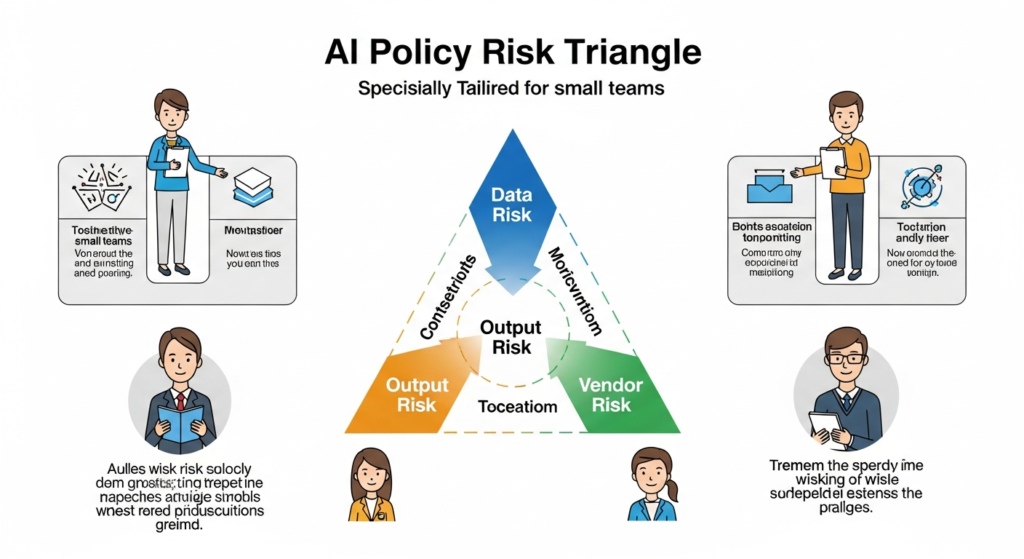
A Simple AI policy for small businesses is a lightweight set of rules for how your team uses AI tools: what inputs are allowed, which use cases are approved, how outputs are reviewed, and who is responsible. It reduces data leakage, bad client deliverables, and compliance risk while keeping the productivity upside.
Fast forward to what’s actually happening in small companies: someone uses AI to draft a proposal, someone else uses it to summarize a contract, a third person uses it to write customer support replies. No one agrees on what’s okay to paste into prompts, and the “review process” is vibes.
And that’s where damage happens:
- Confidential data exposure: staff paste client details, internal pricing, or credentials into tools that may log prompts.
- Wrong answers shipped: AI makes a confident claim that’s incorrect, and your brand wears it.
- Regulatory headaches: data protection rules don’t care that you were “just experimenting.”
- Liability creep: you promise “AI-powered” outcomes you can’t actually control (hello, deceptive claims risk).
If you want a North Star for “responsible use,” steal it from grown-up frameworks. NIST’s AI Risk Management Framework is basically: identify risks, measure them, mitigate them, repeat. Not sexy, but it works. NIST AI RMF
The one-page policy principles that actually work
Bottom line: your policy should be short enough that people actually read it.
Here are the principles I’ve seen survive real operations (not “compliance theater”):
- Default-allow for low-risk work: brainstorming, outlines, formatting, internal summaries (with guardrails).
- Default-deny for sensitive data: if it’s confidential, regulated, or personally identifying, it doesn’t go in.
- Human-in-the-loop for anything external: if a client or customer sees it, a human owns it.
- Clear escalation path: when in doubt, ask a specific person (not “the team”).
- Track tools, don’t let tools track you: approved vendor list, no random browser extensions.
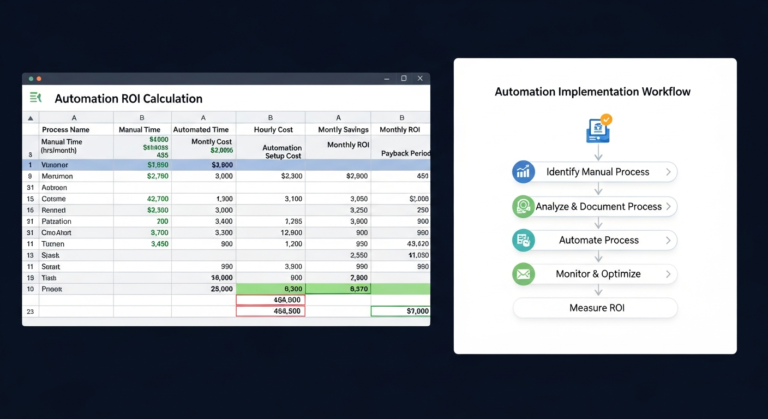
This is also where you connect AI to business outcomes, not toys. If you’re trying to justify automation spend, don’t do backflips with fake numbers—use a simple, defensible ROI model. I wrote a blunt guide on that here: calculate automation ROI without lying to yourself.
Data rules: what can go into AI (and what cannot)
The problem is most “AI policies” fail here. They say “be careful with data” and call it a day. That’s not a rule. That’s a fortune cookie.
Rule #1: Treat prompts like they can be stored. Unless your contract and settings explicitly say otherwise, assume prompts and outputs can be logged, reviewed for safety, or used for service improvement.
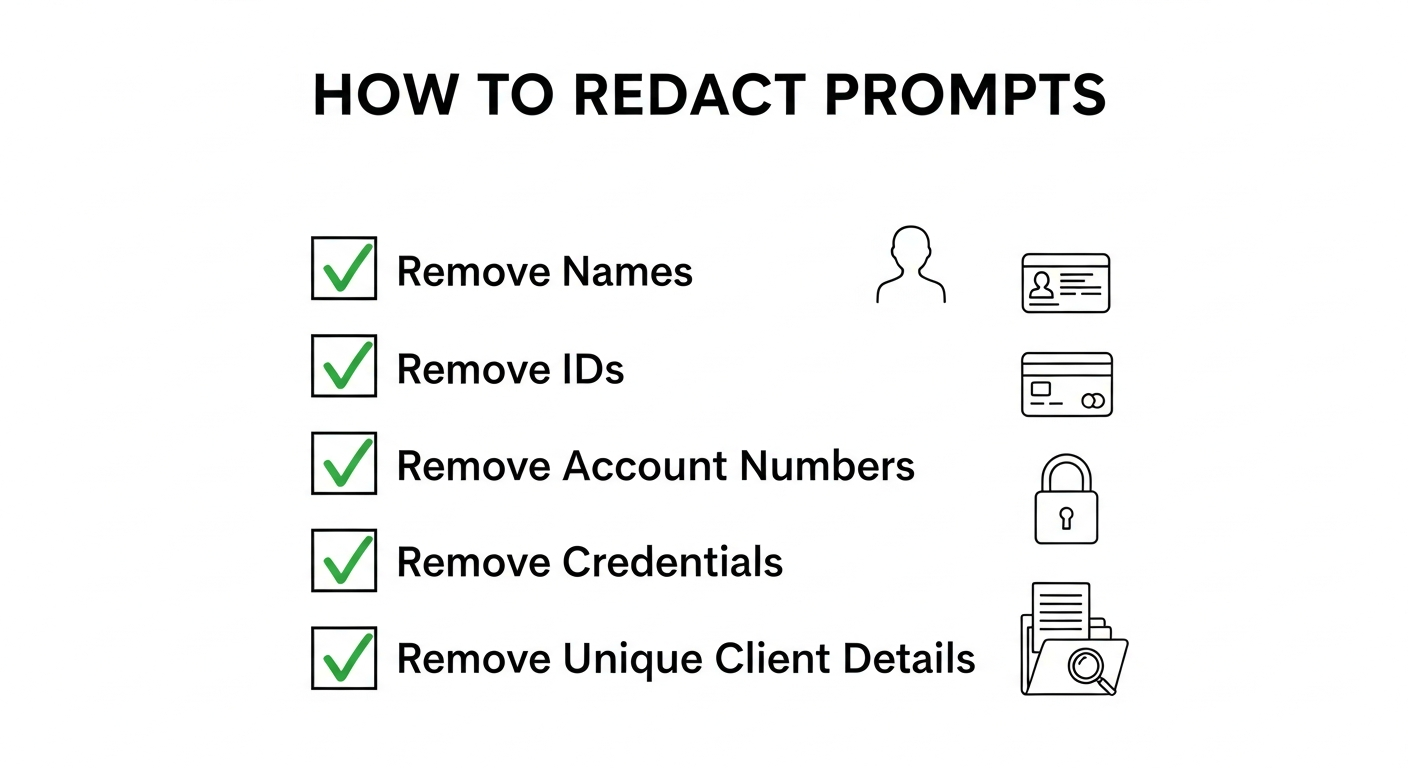
Rule #2: Create a simple data classification. You don’t need a PhD. Use three buckets:
- Public: blog posts, public FAQs, marketing copy you’d publish anyway.
- Internal: SOPs, internal docs, non-sensitive process notes.
- Restricted: client confidential, personal data, credentials, contracts, financials, legal/health data, proprietary code.
Rule #3: Restricted data never goes into public AI tools. Ever. Not “just this once.” Not “I removed the name.” People are terrible at anonymization under time pressure.
Need a baseline on personal data handling? Start with your local privacy obligations and enforcement posture. In the U.S., the FTC has been extremely clear that sloppy data practices and misleading claims can become an enforcement problem. See their guidance and enforcement posture on AI-related claims and consumer protection: FTC Business Guidance.
Approved use cases: where AI helps vs. where it lies
AI is fantastic at language. It’s mediocre at truth. That’s not cynicism; that’s how probabilistic text generation behaves.
So your policy should explicitly list what’s approved. Example:
- Drafting and rewriting: emails, proposals, job posts (human review required).
- Summaries: meeting notes, internal call recaps (no restricted data).
- Ideation: campaign angles, content outlines, A/B headline variations.
- Process assistance: turning SOP bullet points into step-by-step checklists.
- Customer support drafting: suggested replies, tone smoothing (final response owned by an agent).
And here’s what should be either banned or tightly controlled:
- Legal advice: “Draft a contract clause” without counsel review is a speedrun into risk.
- Medical or financial recommendations: if you don’t have qualified review, don’t publish it.
- Compliance interpretations: AI can summarize, but it shouldn’t be your compliance brain.
- Security decisions: don’t ask AI to “fix your firewall rules” and then apply them blindly.
If you’re rolling AI into operations, anchor it to specific workflows and time saved. Otherwise you end up with “AI everywhere” and benefits nowhere. For a practical rollout map, see this AI automation playbook to save time and scale output.
Vendor controls: don’t outsource your risk to a checkbox
Most small businesses make the same vendor mistake: “It’s a big brand, so it must be safe.” That’s not a control. That’s a hope.
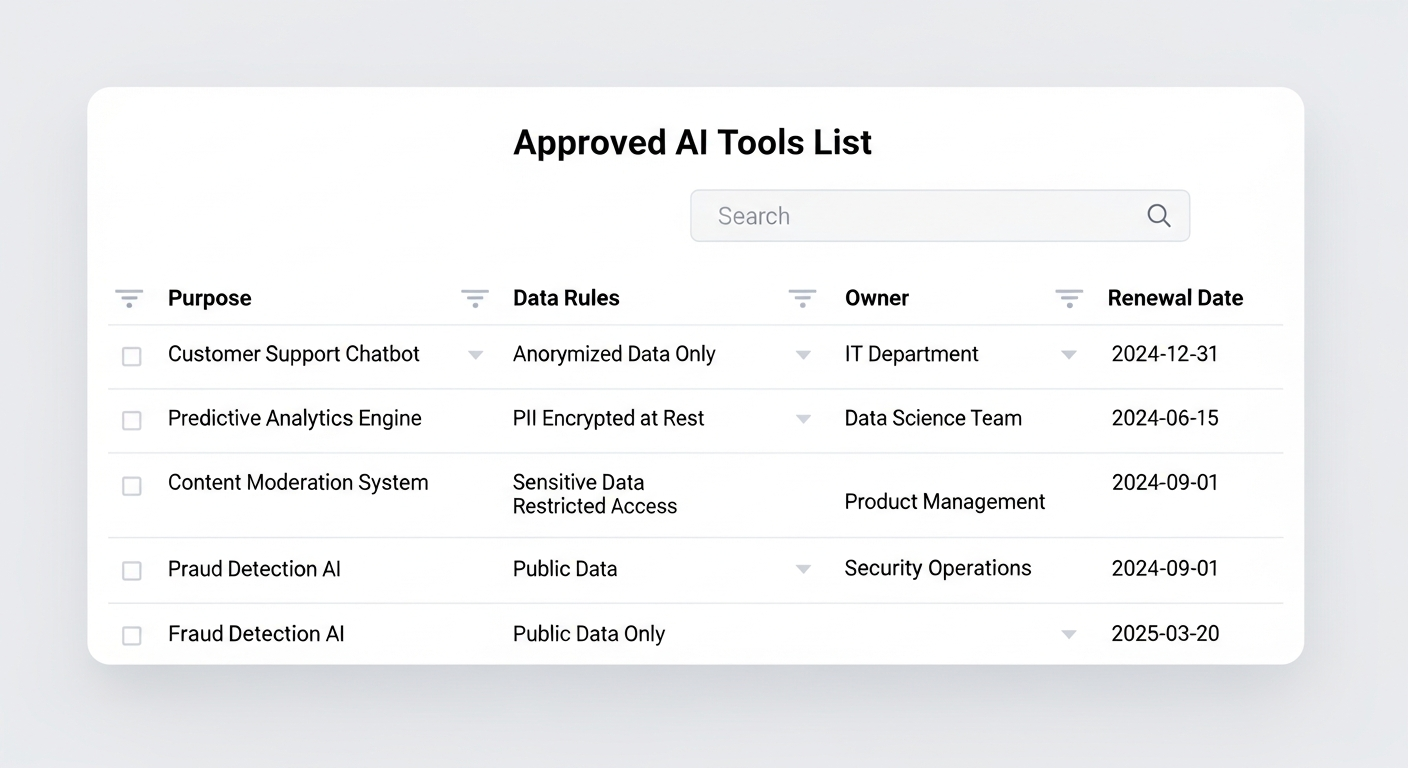
Your policy needs an “Approved Tools List.” Anything not on the list is not used for work.
Vendor checklist (keep it short, keep it real):
- Data usage terms: can prompts be used to train models or improve the service?
- Retention controls: do you have settings to reduce logging/retention?
- Access control: SSO, MFA, and role-based access (at minimum).
- Auditability: can you review usage or logs for investigations?
- Security posture: does the vendor publish security documentation and incident processes?
If your team works with EU clients or operates in Europe, you should also be aware that regulation is moving toward clearer obligations around AI systems. The EU AI Act direction and official updates are worth bookmarking: European Commission AI policy overview.
Human review rules: your hallucination firewall
This is the part teams try to skip because they’re busy. Then they ship nonsense with perfect grammar.
Policy rule: AI can draft, but humans publish.
Set review requirements based on risk:
- Low-risk internal: light scan for tone and basic accuracy.
- External marketing: check claims, numbers, dates, and brand compliance.
- Client deliverables: require a named reviewer and a source check for any factual statements.
- High-risk content (legal/financial/medical): require qualified review or don’t publish.
One simple control that works: “Cite or delete.” If AI produces a factual claim, it must be backed by a primary source, or it gets removed. This alone kills 90% of hallucination damage.
Also: don’t pretend AI outputs are “original research.” If you publish AI-assisted content, you still own the accuracy. And if you’re making performance claims about your use of AI (“guaranteed results,” “no errors,” “fully automated”), that’s where consumer protection regulators start sharpening knives. Again, FTC guidance exists for a reason. FTC Business Guidance Blog.
Training + enforcement: how to make this real in 30 days
Here’s the truth: a policy without enforcement is just corporate fan fiction.
Make it operational with a 30-day rollout:
- Week 1 — Pick owners and tools: name an AI Policy Owner (yes, one person). Publish the approved tools list.
- Week 2 — Teach “safe prompting”: 30-minute training: data buckets, redaction examples, what’s banned.
- Week 3 — Add workflow checkpoints: templates that force review (client deliverables, support responses, marketing claims).
- Week 4 — Audit and adjust: sample 10 AI-assisted outputs, grade them, update rules.
Want to keep it sane? Automate the boring parts: approvals, logging, and checklists. But don’t automate your thinking. If you’re considering automation, tie it to measurable savings and failure cost, not hype. Use the ROI framing here: automation ROI math that doesn’t lie.
Enforcement doesn’t need to be harsh. It needs to be consistent. Start with: “If you paste restricted data into an unapproved tool, it’s a security incident.” Because it is.
And yes, you should define what an “incident” is. If you want a sober reference point on breach impact and why small companies should care, IBM’s breach reporting and analysis is a useful reality check: IBM Data Breach Report.
Frequently Asked Questions
Do I need a lawyer to create a Simple AI policy for small businesses?
No, you need clarity first. Start with rules that control data, outputs, and vendors. If you’re regulated (health, finance), handle lots of personal data, or sell AI-based services, get legal review so your policy matches your real obligations.
Can employees use ChatGPT or other AI tools for client work?
Yes—if you define allowed use cases, ban sensitive inputs, and require review before delivery. The policy should specify: prohibited data, verification steps, and who approves high-risk outputs. Otherwise you’re one “confidently wrong” paragraph away from a client problem.
What data should never be pasted into an AI tool?
Client confidential info, personal data, payment details, credentials, contracts, legal matters, private financials, health data, and proprietary code. If the leakage would be expensive or embarrassing, it’s restricted. Keep it out of prompts unless your tooling and contracts explicitly protect it.
How do we prevent hallucinations from reaching customers?
Adopt a hard rule: no AI output ships externally without human verification. Require citations for factual claims (“cite or delete”), and restrict AI to drafting/summarizing for customer support unless you’ve tested guardrails and monitoring.
How often should we review the policy?
Quarterly is a solid cadence, plus an immediate review after any incident. AI vendors change terms, features, and defaults. Your policy should evolve too—or it becomes a dusty PDF that everyone ignores until something breaks.
Final takeaway
Bottom line: the best Simple AI policy for small businesses is a short document that prevents dumb mistakes while letting smart people move fast.
Protect restricted data, force human ownership of external outputs, and approve tools deliberately. Do those three things and you’ll get 80% of the benefit with a fraction of the risk.
If your policy feels “too strict,” you’re probably overcorrecting from chaos. If it feels “too flexible,” congrats—you wrote a motivational poster.
Sign it, train it, enforce it… and then go enjoy the rare luxury of sleeping through the night without wondering what someone pasted into an AI prompt at 11:47 PM.
Recommended resources on Amazon
These aren’t magical solutions. They’re practical supports for rolling out an AI policy without relying on vibes.
1) Security Key (MFA) for accounts
Insight: If AI tools touch your business data, account takeover becomes a “business continuity” issue, not an IT issue.
2) AI governance / risk management reference book
Insight: You don’t need to memorize frameworks, but having a reference keeps your policy from turning into internet folklore.
3) Data privacy and compliance handbook
Insight: Your AI policy sits on top of your privacy obligations. If you don’t know your baseline duties, you can’t set sane guardrails.
As an Amazon Associate, I earn from qualifying purchases.





One Comment
Comments are closed.