
SEO & Site Structure
Internal Linking Strategy for Content Sites
Most content sites do internal linking badly. They either ignore it, throw in random links at the end of a post, or link so inconsistently that half the site ends up stranded. That is a growth problem, not just an SEO problem.
A strong internal linking strategy helps search engines find your pages, understand your topic relationships, and push readers deeper into your site. This guide breaks down how to do it without turning your content workflow into chaos.
Why Internal Linking Matters
Google has been clear for years that link architecture matters because it affects how easily Googlebot finds pages and how easily users navigate a site. Google also recommends making links crawlable and using anchor text that helps people and search engines understand the destination page. That makes internal linking a real structural asset, not some optional SEO garnish.
On content sites, internal links also help build topic relationships. When related articles point to each other logically, your site starts to look like a connected resource instead of a pile of unrelated posts.
That is the real win. Better crawling, better structure, better user flow, and stronger topical signals.
The Core Elements of a Good Internal Linking Strategy
1. Build Around Topic Clusters
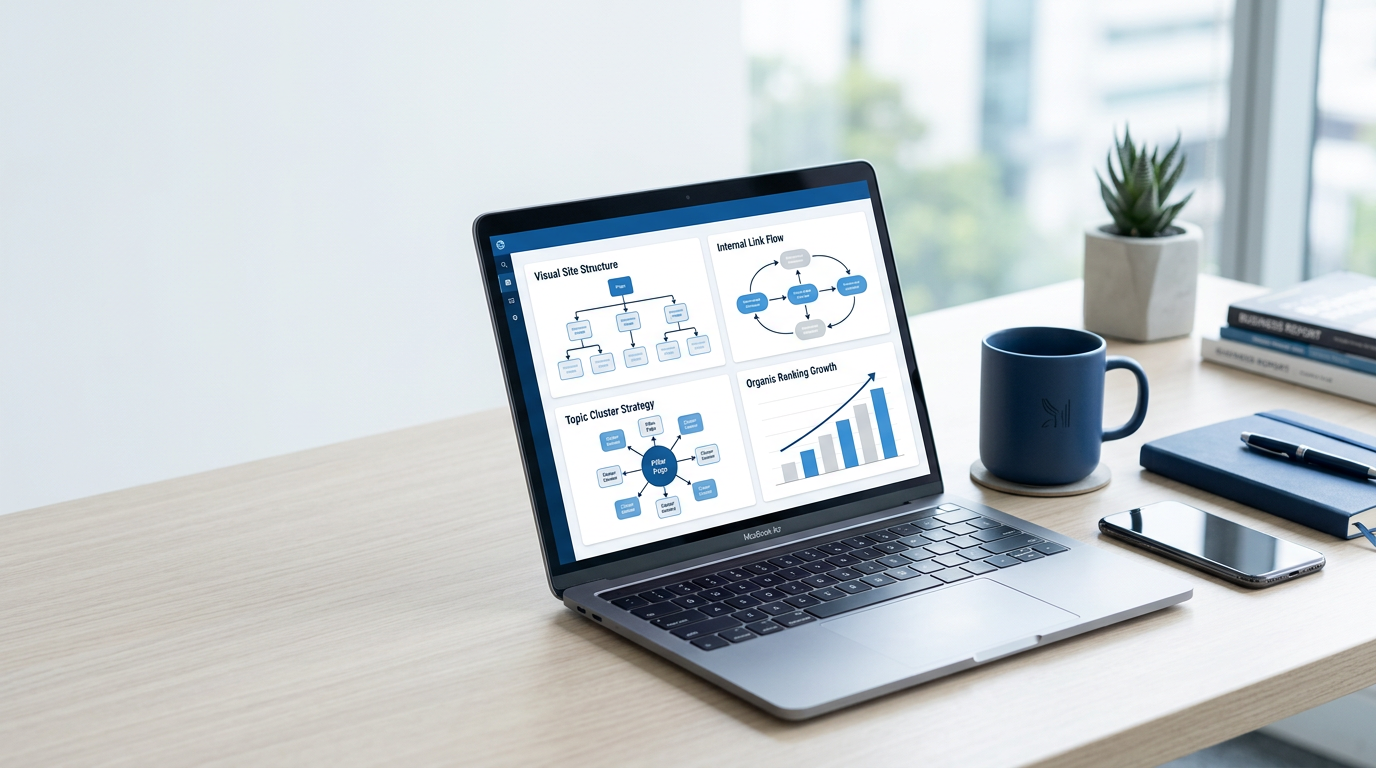
A strong content site should not look flat. It should have topic hubs, supporting articles, and clear relationships between them. Semrush and Yoast both emphasize logical site structure and linking related pages together so search engines can understand the bigger picture of the site. That is exactly what topic clusters do.
One pillar page should connect to relevant support content, and the support content should link back up and sideways where it makes sense. That creates structure instead of scatter.
2. Use Contextual Links, Not Just Navigation Links
Navigation menus matter, but contextual links inside the body content are where the real strategic value shows up. Ahrefs and Yoast both emphasize linking related content from meaningful context because those links help users and search engines understand why the pages belong together.
That means your internal links should usually live inside relevant paragraphs, not just inside widgets, sidebars, or generic “related posts” blocks.
3. Use Descriptive Anchor Text
Google’s link best practices explicitly recommend using anchor text that makes sense to people and helps Google understand the linked page. So yes, “click here” is usually lazy. It tells nobody anything useful.
Descriptive anchor text does not mean forcing exact-match keywords every time. It means being clear about what the user will get after the click.
4. Link From Strong Pages to Important Pages
Some pages on your site naturally attract more traffic, backlinks, and visibility than others. Those pages are your leverage points. Linking from stronger pages to strategically important pages can help distribute more attention and make key pages easier to discover and navigate toward.
That does not mean stuffing your top articles with nonsense links. It means using the pages that already get visibility to support the pages you want to grow.
5. Stop Leaving Orphan Pages Behind
Pages with no meaningful internal links pointing to them are much easier to overlook. Google’s guidance on crawlable links and site discovery makes the core point clear: if pages are hard to reach through links, they are harder for crawlers and users to find.
If a page matters, it should be linked from somewhere sensible. If it is never worth linking to, ask yourself whether it should exist at all.
6. Make Linking Part of Publishing, Not Cleanup
The best internal linking systems are operational, not accidental. Every time you publish a new article, you should ask two questions: what older pages should this link to, and which existing pages should now link back to this one?
That is how you keep the site connected as it grows. And if you need help organizing that process, the free blueprint can help you keep your publishing system tighter.
7. Use Tools to Find Opportunities, Not to Think for You
Ahrefs offers internal link opportunity reports, and Yoast provides internal linking suggestions inside WordPress. Those can be useful because they surface pages that mention relevant terms or appear underlinked. But tools are assistants, not strategists.
Use them to speed up discovery, then apply judgment. Relevant beats automated every time.
Authority Links for Smarter Internal Linking
Common Internal Linking Mistakes
The biggest mistakes are random linking, weak anchor text, orphan pages, and overloading one page with too many irrelevant links. Another common problem is linking only downward from new posts without ever going back to older articles and adding reverse links where they belong.
A content site should feel like a system. If the links feel random, the site feels random. And that weakens both user flow and SEO clarity.
This is also why your content and blogging hub matters. Strong internal linking works much better when there is a real content structure underneath it.
How to Improve Internal Linking Fast
Start with a simple audit. Identify your top traffic pages, your most important money or hub pages, and any orphan or weakly linked content. Then connect them based on topic relevance, not just convenience.
- Link from high-traffic pages to important related pages
- Add reverse links from older posts to newer support content
- Upgrade vague anchor text into descriptive anchor text
- Build clear hub-and-support relationships
- Check for important pages with too few internal links
Those fixes compound. Once the structure improves, keep building around your topic areas inside your content and blogging section so the site keeps getting stronger instead of flatter.
Final Word
An internal linking strategy for content sites is really a structure strategy. It is how you help search engines discover pages, help users move through your site, and help your content work together instead of sitting there alone.
Start with relevance, not volume. Build clusters. Use better anchor text. Fix orphan pages. And use the free blueprint if you want a cleaner system behind your publishing process.
Bottom line
If your pages are related, link them clearly. If a page matters, make it easy to reach. Good internal linking is not decoration. It is infrastructure.
Keep Going
Turn Better Site Structure Into Better Growth
Use the free blueprint to tighten your setup, or jump into the content and blogging section to keep building connected pages that rank, help readers, and make money.