
Streamline Your Blog Post Creation Workflow with These Tips
Are you tired of last-minute changes and miscommunications ruining your content plans? A well-organized blog post creation workflow is key to making high-quality content fast.
Using the right strategies and tools can save you time and make your content more impactful. Good planning and execution let you focus on creating engaging content for your audience.
To start, define your content goals and know who’s involved. Then, map out your blog post production workflow and use tools like Yoast SEO to improve your content. For more tips on making your digital content workflow smoother, check out Yoast’s guide.
Key Takeaways
- Define clear content goals and identify stakeholders.
- Visualize your content workflow for better execution.
- Leverage tools like Yoast SEO for content optimization.
- Plan ahead to avoid last-minute changes.
- Enhance team communication to prevent misalignments.
Understanding the Importance of a Workflow
Knowing how important a workflow is can really help a blogger. It makes them more productive and their content better. A good workflow helps the team work together smoothly, from the start to the end of the blogging process from idea to publish.
A workflow is like a map for bloggers. It shows them the steps to take when creating, editing, and publishing content. With a clear plan, bloggers can make sure their content is always top-notch and interesting.
Why a Workflow Matters for Bloggers
A workflow is key for bloggers because it keeps things consistent, lowers stress, and boosts content quality. Here’s why:
- Consistency: A workflow helps keep content coming out regularly, keeping readers interested.
- Reduced Stress: Breaking down the work into smaller tasks makes it easier, reducing stress.
- Improved Quality: A workflow lets bloggers do thorough research, writing, and editing, leading to better content.
How It Affects Content Quality
The quality of content is greatly influenced by the workflow. A good workflow lets bloggers:
- Do deep research on their topics.
- Make catchy headlines and introductions.
- Check and edit their work to catch mistakes.
By sticking to a structured workflow, bloggers can make sure their content is the best it can be.
The Impact on Your Publishing Schedule
A workflow also affects your publishing schedule a lot. By planning ahead, bloggers can:
- Make sure content is published on time.
- Avoid last-minute scrambles and delays.
- Keep a steady publishing schedule, which keeps readers coming back.
In short, understanding and using a workflow is vital for bloggers. It helps them make their content better, work more efficiently, and keep a regular publishing schedule.
Steps to Establish Your Blog Post Creation Workflow
A good workflow is key to a successful blog. It helps you make engaging content quickly. To do this, follow a few steps to make your content creation smoother.
Identifying Your Topic and Audience
First, figure out what you want to write about and who you’re writing for. Know what your readers like and what they need help with. This way, you can make content that they’ll find useful and enjoy.
For example, if your blog is about financial literacy, your readers might be people looking for money advice.
To find your topic and audience, try these:
- Do surveys or polls to see what your readers like.
- Look at what your competitors are writing about.
- See what people are talking about on social media.
Researching Keywords and Trends
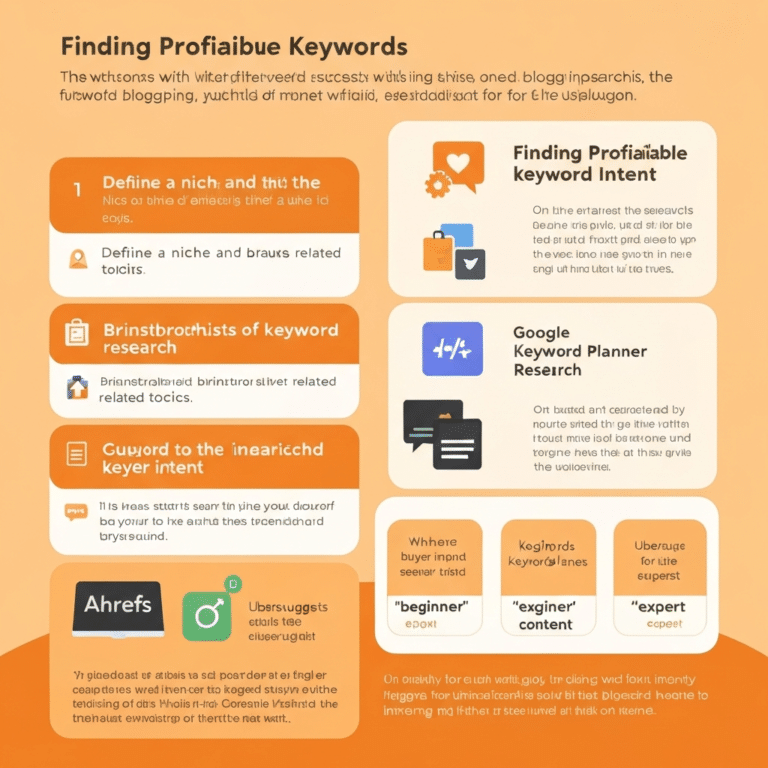
After you know what you’re writing about and who you’re writing for, it’s time to find the right keywords and trends. This helps your blog show up better in search results. Use tools like Google Keyword Planner or Ahrefs to find good keywords. For tips on keyword research, check out this guide.
When researching keywords and trends, remember:
- Look for long-tail keywords that aren’t too competitive.
- Check out trending topics on social media and news sites.
- Use tools to find related terms and phrases.
Outlining Your Post Structure
It’s important to plan out your post’s structure. Decide on the intro, body, and conclusion. A well-planned post is easier to read and better for the user. Use headings and subheadings to make your content easy to scan.
- Start with a hook that grabs the reader’s attention.
- Use headings and subheadings to organize your points.
- End with a summary or call-to-action to keep readers interested.
Tools and Software to Enhance Your Workflow
To make your blog post creation smoother, using the right tools and software is key. By adding the right technology to your workflow, you can boost your productivity and improve your content’s quality.

Content Management Systems
A Content Management System (CMS) is the core of your blogging setup. It lets you create, edit, and manage your content easily. WordPress and Joomla are popular choices, known for their customizable themes and plugins.
When picking a CMS, think about its ease of use, how well it scales, and its compatibility with other tools. A good CMS can make your workflow smoother by adding features like scheduling and SEO tools.
Collaboration Tools for Teams
For team bloggers, collaboration tools are a must-have. Trello and Asana help manage tasks and keep everyone in sync.
These tools let you assign tasks, track progress, and set deadlines. This makes teamwork more efficient and boosts productivity.
Writing and Editing Apps
Writing and editing apps are vital for polishing your content. Grammarly and Hemingway Editor help make your writing clearer and easier to read.
Using these apps ensures your content is engaging and error-free. This improves the quality of your blog posts.
Adding these tools to your workflow can greatly improve your productivity and content quality. It makes following a blog post publishing checklist and keeping a regular schedule easier.
Crafting Compelling Headlines and Introductions
Your blog post’s success often depends on its headline and introduction. A great headline can boost click-through rates. An engaging introduction keeps readers interested. We’ll look at how to make headlines and introductions that grab your audience’s attention.
The Art of Headline Writing
Writing a compelling headline is both an art and a science. It needs creativity, clarity, and knowing your audience well. A good headline should be informative and enticing, making readers want to click.
Key Elements of a Compelling Headline:
- Clarity: Clearly state the topic of your blog post.
- Relevance: Make sure the headline matches your content.
- Emotional Appeal: Use words that spark emotions or curiosity.
AI tools can help create headlines that are both creative and SEO-friendly. For example, headline analyzers can show how effective your headline is.
| Headline Element | Description | Example |
|---|---|---|
| Clarity | Clearly state the topic | “10 Tips for Improving Your Blog” |
| Relevance | Match the content | “The Ultimate Guide to SEO” |
| Emotional Appeal | Use emotional or curiosity-driven words | “Unlock the Secrets to Engaging Content” |
Engaging Your Readers from the Start
After a great headline, you need a strong introduction. Your introduction should give context, ask a question, or share an interesting fact. This draws readers in.
“The introduction is your chance to grab the reader’s attention and make them want to read more.”
Effective introductions often have a hook that connects with the reader. This could be a surprising statistic, a thought-provoking question, or a personal story.
To make your introduction better, consider these tips:
- Start with a hook to grab attention.
- Give context or background information.
- Preview the main points of your blog post.
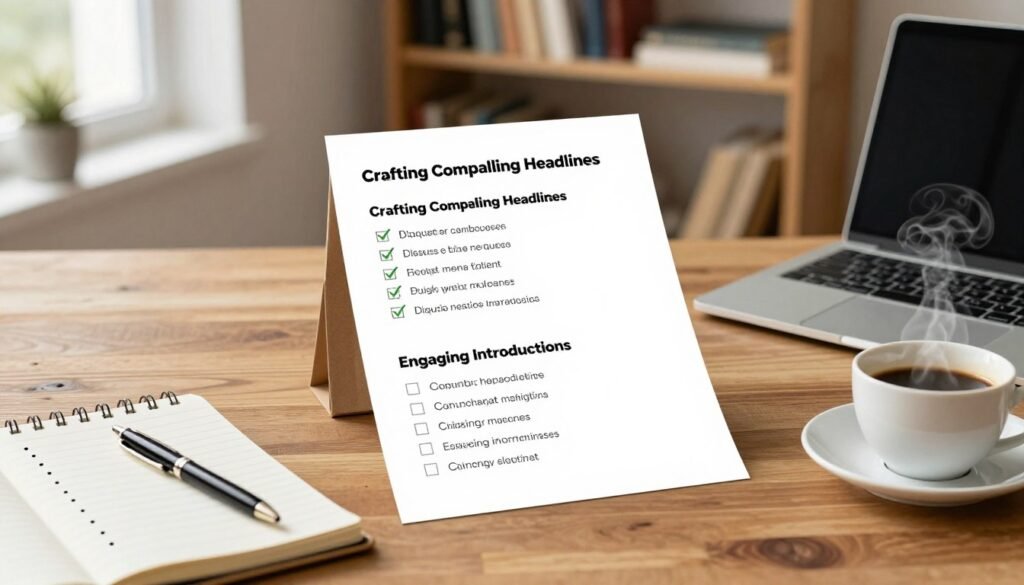
By focusing on great headlines and introductions, you can make your blog posts more effective. The goal is to engage readers from the start and keep them reading.
Optimizing Content for SEO and Readability
Improving your content for SEO and readability is key to a successful blog. Focus on strategic elements like keyword placement, headers, bullet points, and multimedia. This will boost your content’s visibility and engagement.
Keyword Placement Best Practices
Effective keyword placement is vital for SEO. Place your primary keywords in key areas like the title, meta description, headings, and throughout your content. For example, using a keyword like blog post creation workflow in your title and meta description can help your search engine rankings. But avoid keyword stuffing; aim for a natural flow that’s easy to read.
- Use keywords in your title and meta description.
- Incorporate keywords naturally throughout your content.
- Place keywords in headings (H1, H2, H3, etc.).
- Optimize your content’s opening paragraph with relevant keywords.
Utilizing Headers and Bullet Points
Headers and bullet points are great for both readability and SEO. Headers structure your content, making it easier for search engines to understand. Bullet points help break down complex information and are perfect for listing items or steps.
For more tips on creating SEO-friendly blog posts, check out Yoast’s guide on SEO-friendly blog posts. It offers detailed advice on optimizing your content.
- Use H1 for the main title and H2, H3 for subheadings.
- Organize content with headers to improve readability.
- Utilize bullet points for listing information.
Incorporating Multimedia Elements
Adding multimedia like images, videos, and infographics can boost your content’s engagement and SEO. These elements can make your content more engaging and provide additional context.

For instance, using relevant images with alt tags that include your target keywords can improve your content’s visibility in image search results. Videos can also increase the time users spend on your page, which is good for SEO.
- Use images with relevant alt tags.
- Incorporate videos to enhance user engagement.
- Utilize infographics to present complex information visually.
The Importance of Editing and Proofreading
In the blog post production workflow, editing and proofreading are key to better content. You can’t just write and publish; you must refine your content. This is vital for engaging your audience well.
Thorough editing makes sure your message is clear and to the point. It’s not just about fixing typos; it’s about making your content flow better. This makes your content more fun to read and share.
Common Mistakes to Look For
When editing, watch out for several common mistakes. These include:
- Grammatical errors
- Punctuation mistakes
- Inconsistent formatting
- Repetitive content
- Overuse of jargon or overly complex language
AI tools can help find these issues. They suggest improvements and spot grammatical errors. This saves time and boosts your content’s quality.
The Benefits of Peer Reviews
Peer reviews give you a new view on your content. Having someone else look at your work can reveal areas for improvement. This includes clarity, tone, and style. This teamwork can greatly improve your blog posts.
Peer reviews also help spot biases or assumptions you might miss. This feedback is key to making content that appeals to more people.
Using Editing Tools Effectively
Many editing tools are out there to help with editing and proofreading. From grammar and spell checkers to style guides, they can refine your content. But, it’s important to use them wisely. Relying too much on technology can cause you to miss important details.
By mixing human insight with tech help, you can edit and proofread effectively. This ensures your content is polished and engaging.
Scheduling Your Blog Posts for Consistency
It’s important to schedule your blog posts ahead of time. This keeps your content flowing smoothly. It also keeps your readers coming back for more.
Being consistent is key to growing your blog. It helps you attract more readers and build a loyal following.
Creating an Editorial Calendar
An editorial calendar is a great tool for planning your content. It helps you see your content strategy clearly. This way, you make sure you cover all topics and keep a steady publishing schedule.
To make a good editorial calendar, do the following:
- Plan your content themes and topics ahead of time.
- Choose specific dates for each post.
- Add important dates and events from your niche.
- Have some extra time for unexpected topics or schedule changes.
Google Calendar or Trello can make managing your calendar easier. They let you work with your team and make changes when needed.
Automating Your Publishing Process
Automating your publishing can save a lot of time. It also reduces the stress of manual scheduling. With the right tools, you can publish content without manual effort each time.
Some top tools for automating include:
- Content Management Systems (CMS) like WordPress or Joomla, which have scheduling features.
- Social media scheduling tools like Hootsuite or Buffer, for scheduling social media posts.
- Automation plugins that work with your CMS to make publishing easier.
Using an editorial calendar with automation tools creates a robust content publishing system. It ensures your blog stays consistent and efficient.
Promoting Your Blog Posts After Publishing
Promoting your blog post after publishing is key to getting it seen and shared. With so many blogs out there, just posting isn’t enough. You need to actively share your work to reach more people and get them involved.
Using social media is a great way to promote your blog. Sites like Facebook, Twitter, LinkedIn, and Instagram can help your content spread far. AI can help make your social media posts better and keep your audience interested. AI can write captions, schedule posts, and even check how well your posts are doing.
Social Media Strategies for Wider Reach
To get your blog seen more on social media, try these tips:
- Share your blog on different social media sites to reach more people.
- Use hashtags to make your posts easier to find.
- Chat with your followers by answering comments and messages fast.
- Use tools to see how your posts are doing and change your plan if needed.
Engaging with Your Audience
Talking to your readers is important for keeping them coming back. Here’s how to do it:
- Reply to comments on your blog to build a community.
- Send out a newsletter to keep your readers up to date.
- Do webinars or Q&A sessions to talk to your audience live.
- Do surveys or polls to see what your readers like and make content they’ll enjoy.
Using these tips can really help your blog posts get seen and talked about more. Here’s a quick summary of the main strategies and why they work:
| Promotion Strategy | Benefits |
|---|---|
| Social Media Sharing | More people see your work, more people talk about it |
| Audience Engagement | More readers, more visits |
| AI-driven Content Promotion | Posts are more personal, more people engage |
By mixing these strategies and using AI, you can make a strong plan to promote your blog. This plan will not only get your content seen more but also build a loyal and active audience.
Analyzing and Improving Your Workflow
To keep your blog post creation workflow efficient, it’s key to regularly check its performance and tweak it as needed. This way, you can make your blogging process better from start to finish. It helps improve the quality of your content.
Performance Metrics
It’s important to track key performance metrics to see how your workflow is doing. Look at engagement rates, page views, and other data that shows how well your blog posts are doing.
Adapting to Feedback
Changing your strategies based on feedback is key for getting better. By listening to what readers say and adjusting, you can make your blog post creation workflow better. This also boosts reader engagement.
Improvement Techniques
Using continuous improvement techniques, like regularly checking and updating your workflow, keeps you ahead in the blogging world. Stay open to new tools, strategies, and best practices to improve your blogging.
By using these methods in your blog post creation workflow, you ensure your process stays efficient and effective. This way, you can keep producing high-quality content that your audience loves.