
AI & Automation: The Practical Playbook to Save Time, Cut Costs, and Scale Output (Without Breaking Your Business)

You don’t need “more AI.” You need fewer manual steps, fewer handoffs, fewer copy-paste moments, and fewer “I’ll do it later” tasks that quietly drain profit. Here’s the fastest way to get value from AI & automation this week: pick one workflow that happens daily (or per lead), map the steps, then automate the boring middle while you keep human control at the decision points. If you can remove 20 minutes per day from a workflow that runs 250 days per year, that’s 83 hours back—per person—without hiring anyone. The trick is doing it safely: tight inputs, clear rules, and measured rollouts. This guide shows you how to build automations that actually stick, avoid the common traps that waste money, and choose the right stack for your reality—solo creator, small team, or ops-heavy business.
Table of Contents
- What AI & Automation Really Means (In Business Terms)
- Where AI Fits Best (And Where It Doesn’t)
- The AI & Automation Stack: Tools, Layers, and How They Connect
- High-ROI Use Cases You Can Implement Fast
- Designing Workflows That Don’t Collapse After 2 Weeks
- Data, Privacy, and Risk: The Part You Can’t Ignore
- Expert Judgment Moments: Tradeoffs, Myths, and Best-Path Decisions
- Common Mistakes That Waste Time and Money
- Best Practices Most People Skip (But Shouldn’t)
- A Simple 90-Day Rollout Plan (Solo, Small Team, or Ops-Heavy)
- Recommended Products & Tools for AI & Automation
What AI & Automation Really Means (In Business Terms)
Let’s strip the hype. Automation means a system executes steps without you touching the keyboard. AI means the system can interpret messy inputs (text, images, audio), generate outputs (drafts, summaries, classifications), or make predictions (routing, prioritization) that used to require a human brain.
Put together:
- Automation = repeatability and speed.
- AI = flexibility and “good enough” reasoning in unstructured situations.
- AI + Automation = scalable execution with guardrails.
In practice, most valuable AI automations are “human-in-the-loop” at first. The best ones often stay that way. You automate 70–90% of the workflow, and keep humans for approvals, exceptions, and brand decisions.
If you want a simple filter for what to automate first, use this:
- Frequency: Happens at least weekly (daily is ideal).
- Friction: Requires copy/paste, searching, renaming, filing, formatting, routing.
- Failure cost: If it fails once, it’s annoying—not catastrophic.
And yes, this connects directly to profit: less labor per output, faster cycle time, and fewer dropped balls.
How to calculate automation ROI without lying to yourself.

Where AI Fits Best (And Where It Doesn’t)
AI shines in the “messy middle” where humans waste time: sorting, drafting, summarizing, rewriting, classifying, and routing. It struggles when you expect perfect factual accuracy, consistent logic without constraints, or fully autonomous decisions in high-stakes contexts.
Best-Fit Zones for AI
- Intake & triage: Turn messy emails/forms/messages into structured tickets, priorities, and next steps.
- Content production support: Outlines, first drafts, angle variations, summaries, repurposing, metadata.
- Knowledge retrieval: Search your internal docs and generate answers with citations/links to sources.
- Sales enablement: Prospect research briefs, call summaries, follow-up drafts, objection handling scripts.
- Ops documentation: Convert tribal knowledge into SOPs, checklists, and training docs.
Bad-Fit Zones (Unless You Add Guardrails)
- Anything regulated or legally sensitive without review (medical, legal, finance advice).
- Direct “send” actions (auto-emailing customers) without approvals and rate limits.
- Decisions that can cause harm (eligibility, hiring, credit) without a governance plan.
- “Trust me” factual answers without source grounding.
Here’s the honest truth: the biggest failure mode is not “AI hallucinated.” It’s “you gave it a vague goal and no constraints.” When AI is constrained by templates, rules, and verified data, it becomes boring—in the best way. Boring equals reliable.
A Simple AI Policy for Small Businesses
The AI & Automation Stack: Tools, Layers, and How They Connect
Most people buy tools like they buy gym memberships: optimistic, impulsive, and unused. You want a stack with clear roles:
Layer 1: Triggers & Inputs
- Forms (lead forms, onboarding forms)
- Email inboxes
- Chat (site chat, social DMs)
- Webhooks (events from apps)
- Files (uploads, recordings)
Layer 2: Workflow Logic (Automation Orchestrator)
This is the “if this, then that” brain: routing, waiting, retries, conditions, approvals. If you don’t have orchestration, you don’t have automation—you have chaos with notifications.
Layer 3: AI Actions
- Summarize, classify, extract fields
- Generate drafts (email replies, proposals, scripts)
- Rewrite into brand voice
- Translate/localize
- Enrich or score (with constraints)
Layer 4: Data & Systems of Record
- CRM (contacts, deals)
- Project management (tasks, owners)
- Knowledge base (SOPs, docs)
- Analytics (performance tracking)
Layer 5: Guardrails & Observability
- Logging and audit trails
- Error alerts and retries
- Rate limiting
- Human approvals
- Quality checks (sampling)
One practical way to document this is a “workflow one-pager.” If you don’t have that, you’ll forget why you built something and nobody will maintain it.

High-ROI Use Cases You Can Implement Fast
Below are use cases that consistently perform because they reduce cycle time and cognitive load. I’m going to be direct: start with workflows that produce revenue, reduce churn, or reduce labor. “Fun automations” are fine, but they don’t pay the bills.
1) Lead Intake → Qualification → CRM Update
Scenario: Leads arrive from a form, email, or DM. You manually read it, decide if it’s legit, then copy details into a CRM, then send a reply, then forget to follow up.
Automation pattern:
- Capture lead → extract structured fields (name, company, need, budget range, urgency)
- Score lead with explicit rules (no vibes)
- Create CRM record + task for follow-up
- Draft a reply based on lead type (human approves)
Where AI helps: turning messy free-text into structured fields and a recommended next step.
2) Content Engine: Brief → Draft → Repurpose → Schedule
Scenario: You know what to post, but you lose time on outlines, captions, metadata, repurposing, and formatting.
Automation pattern:
- Content brief form (topic, angle, audience, CTA)
- AI generates outline + first draft + hook variations
- AI produces repurposed versions (short, email, social, carousel script)
- Queue for scheduling (human reviews)
Where people mess up: they automate output without a brand voice spec. Create a “voice card” (tone rules, banned phrases, examples). Then apply it consistently.

3) Customer Support Triage + Suggested Replies
Scenario: Your inbox becomes a graveyard. Customers repeat the same questions, and your response time slips.
Automation pattern:
- Tag tickets by intent (billing, tech, onboarding, refund, feature request)
- Pull relevant KB articles and draft a reply
- Escalate edge cases to humans with a summary + recommended action
Guardrail: don’t let AI “freestyle” policy. Your refund rules, warranty rules, and compliance language should be locked templates.
4) Finance Admin: Invoice Follow-Ups + Reconciliation Prep
Scenario: You lose money because you don’t follow up on invoices consistently, or you burn time chasing details at month-end.
Automation pattern:
- Detect overdue invoice status → generate polite follow-up sequence
- Auto-create a “missing info” checklist if a payment lacks reference
- Prepare reconciliation packet (transactions, notes, receipts)
Expert note: This is a perfect “automation with approvals” domain. Let AI draft the messages, but you own the relationship.
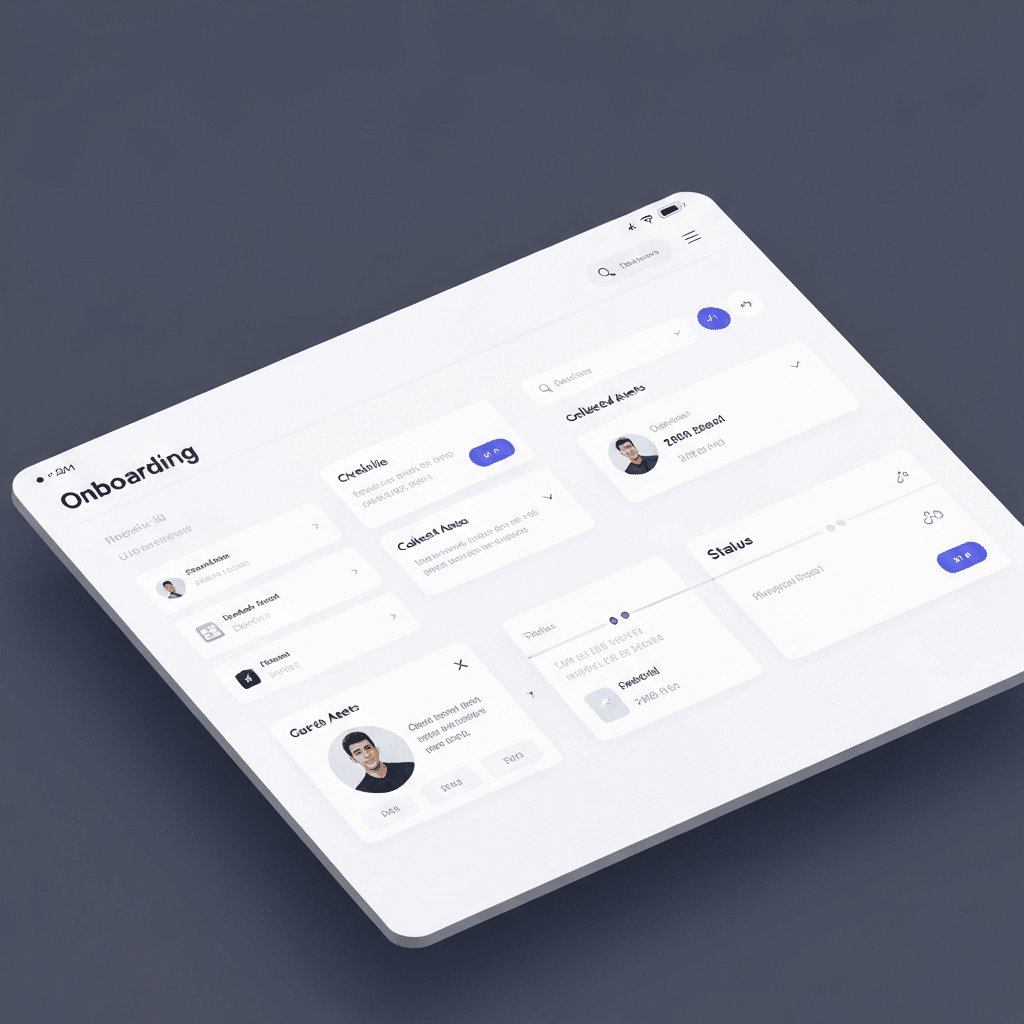
5) Client Onboarding: Kickoff → Asset Collection → First Deliverable
Scenario: onboarding is a mess: missing logins, unclear scope, and repeated questions.
Automation pattern:
- Signed agreement triggers onboarding form
- AI checks for missing fields and requests them
- Create project folder structure + tasks + timeline
- Generate kickoff agenda and “what we need from you” email
Designing Workflows That Don’t Collapse After 2 Weeks
Most automations fail for one reason: they were built around a happy path that rarely happens. Real life has missing info, exceptions, weird formatting, and people who reply with “thanks” and nothing else.
Step 1: Map the Workflow Like an Engineer, Not a Dreamer
Document:
- Trigger: what starts it
- Inputs: what data is available
- Outputs: what “done” looks like
- Decision points: where humans should approve
- Exceptions: what goes wrong 10% of the time
Step 2: Constrain the AI Like You Mean It
AI performs best when it can’t wander. The more you constrain it, the less “magical” it feels—and the more it works.
- Use templates: fixed reply structures, fixed JSON fields, fixed output sections.
- Use examples: “good” vs “bad” outputs.
- Use a voice card: tone rules and banned phrases.
- Use validation: reject outputs missing required fields.
Step 3: Put Humans Where They Actually Add Value
Humans should approve:
- Anything customer-facing until quality is stable
- Anything that moves money
- Anything that changes permissions/access
- Anything that can create reputational risk
But humans should not do:
- Copying fields between systems
- Reformatting text
- Summarizing calls
- Filing documents
Step 4: Measure Quality Like a Product Team
If you can’t measure it, you can’t improve it. Track:
- Time saved: minutes per run
- Failure rate: runs that require manual rescue
- Escalation rate: percent that require human decisions
- Outcome quality: customer satisfaction, conversions, resolution time

Data, Privacy, and Risk: The Part You Can’t Ignore
If you’re automating anything meaningful, you’re touching customer data, internal process data, or both. You need a basic governance posture—not a 200-page policy, but a real one.
Authority Standards Worth Using as Guardrails
NIST AI Risk Management Framework (AI RMF) helps you think in a structured way about trustworthy AI (govern, map, measure, manage). Use it to sanity-check your AI use cases and controls. NIST AI Risk Management Framework. :contentReference[oaicite:0]{index=0}
EU Artificial Intelligence Act (Regulation (EU) 2024/1689) defines obligations and risk categories for AI systems in the EU; even if you’re not “building AI,” you may be deploying it in ways that matter. EUR-Lex: Regulation (EU) 2024/1689 (AI Act). :contentReference[oaicite:1]{index=1}
OECD AI Principles provide a widely recognized framework for trustworthy AI (human-centered values, transparency, robustness, accountability). Useful for setting internal guidelines. OECD AI Principles. :contentReference[oaicite:2]{index=2}
ISO/IEC 23894:2023 gives guidance on AI-specific risk management—useful if you’re standardizing your approach and need a common language. ISO/IEC 23894:2023. :contentReference[oaicite:3]{index=3}
MITRE ATLAS is a practical knowledge base of adversarial tactics against AI/ML systems; use it for threat modeling, especially if you deploy LLM features. MITRE ATLAS. :contentReference[oaicite:4]{index=4}
OWASP Top 10 for LLM Applications is the blunt checklist you want before deploying GenAI in production—prompt injection, sensitive data disclosure, supply chain issues, and more. OWASP Top 10 for LLM Applications. :contentReference[oaicite:5]{index=5}
NIST SSDF (Secure Software Development Framework) helps integrate security into your dev process; critical if your automations involve code, integrations, or custom apps. NIST SSDF. :contentReference[oaicite:6]{index=6}
ISO/IEC 27001 is the standard for information security management; you don’t need certification to benefit from its mindset about controls and risk. ISO/IEC 27001. :contentReference[oaicite:7]{index=7}
Practical Governance Rules That Work in the Real World
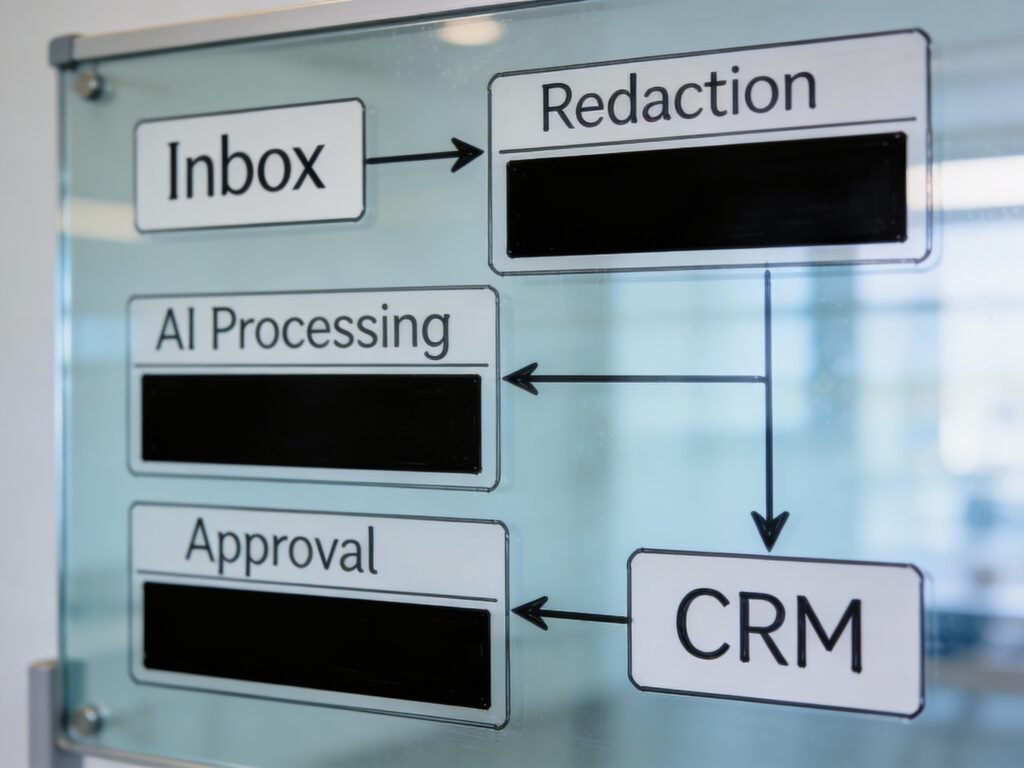
- Data minimization: don’t send more data than needed to complete the task.
- Redaction: strip sensitive identifiers when possible (IDs, payment details, medical info).
- Access control: least privilege for tools and integrations.
- Audit trail: log what happened, when, and why (inputs, outputs, approvals).
- Escalation rules: define what must go to a human.
Internal link: a practical data-handling guide: data minimization checklist for AI workflows.
Expert Judgment Moments: Tradeoffs, Myths, and Best-Path Decisions
This is where most guides get lazy. Real-world automation is tradeoffs.
Build vs Buy: When Custom Automation Is Worth It
Buy when you’re automating common workflows (lead capture, scheduling, basic ticketing) and you need speed. Build when the workflow is your competitive advantage or your data logic is specific (pricing rules, multi-step approvals, internal scoring).
Rule of thumb: if a workflow changes monthly, keep it configurable. If it changes weekly, it’s not ready for full automation—stabilize the process first.
Full Autonomy vs Human-in-the-Loop
“Autonomous AI agents” sound great until one goes off-script and emails the wrong customer, deletes the wrong record, or makes a promise you can’t keep.
- Human-in-the-loop is best for customer comms, policy decisions, and edge cases.
- Full automation is best for internal admin, formatting, routing, and data sync.
Best-path decision: start with “AI suggests + human approves,” then graduate specific sub-steps to full automation after you’ve measured quality for a few weeks.
The “AI Will Fix Our Data” Myth
AI can clean up messy text. It cannot magically correct broken systems. If your CRM fields are inconsistent, your tags are nonsense, and your team doesn’t follow SOPs, AI will produce “polished chaos.” Fix the workflow inputs first.
Cost Control: Your Hidden AI Bill
Costs sneak in through:
- Over-triggering (too many runs)
- Long prompts (too much context)
- Duplicate processing (same item processed multiple times)
- Low-value tasks (automating fluff)
Best-path: cache results, batch process where possible, and only call AI when deterministic logic can’t do the job.

Common Mistakes That Waste Time and Money
This section exists because people love spending money on tools and hate spending time on design. That’s backwards.
1) Automating Before You Standardize
If different people do the same task five different ways, automation will amplify the inconsistency. Standardize the process first (SOP + checklist), then automate.
2) No Clear “Done” Definition
“Handle lead” is not a deliverable. “Lead is in CRM, tagged, assigned owner, follow-up task set, and first reply drafted” is.
3) Letting AI Write Policy
Refund rules, compliance language, legal disclaimers, pricing promises—these must be templates you control, not improvisations.
4) No Exception Handling
Automations fail in the 10% edge cases: missing fields, bounced emails, duplicate contacts, API timeouts. If you don’t design fallbacks, your system becomes fragile.
5) Forgetting Ownership
Every automation needs an owner. If nobody owns it, nobody fixes it, and it dies quietly.
6) Measuring Vibes Instead of Outcomes
“Feels faster” is not a metric. Track time saved, failure rate, and business outcomes (response time, conversion, churn reduction).

Best Practices Most People Skip (But Shouldn’t)
These are boring. They also separate “cute automation” from “real operational leverage.”
1) Use Structured Outputs (Even If You Hate Them)
When AI returns structured fields (like JSON-style data), you can validate and route reliably. Freeform prose is harder to automate safely.
2) Add a “Confidence” + “Reason” Field
Make the system state: “I’m 0–100% confident this is a billing issue because X.” That single line makes human review faster and creates training feedback loops.
3) Build an Approval Inbox (Not a Chaos Inbox)
All approvals should land in one place with:
- Proposed action
- Summary of inputs
- Buttons: approve / edit / reject
- Audit trail
4) Sample QA Weekly (10 Minutes, Real Results)
Review a small sample of outputs weekly. Look for drift: tone changes, wrong tagging, missing steps. Fix fast before the system decays.
5) Threat Model Your AI Features (Even Lightly)
If you deploy LLM features, assume:
- Prompt injection attempts
- Sensitive data leakage risks
- Supply chain vulnerabilities via plugins/integrations
Use OWASP’s LLM Top 10 as a sanity checklist for what to defend against. OWASP Top 10 for LLM Applications. :contentReference[oaicite:8]{index=8}

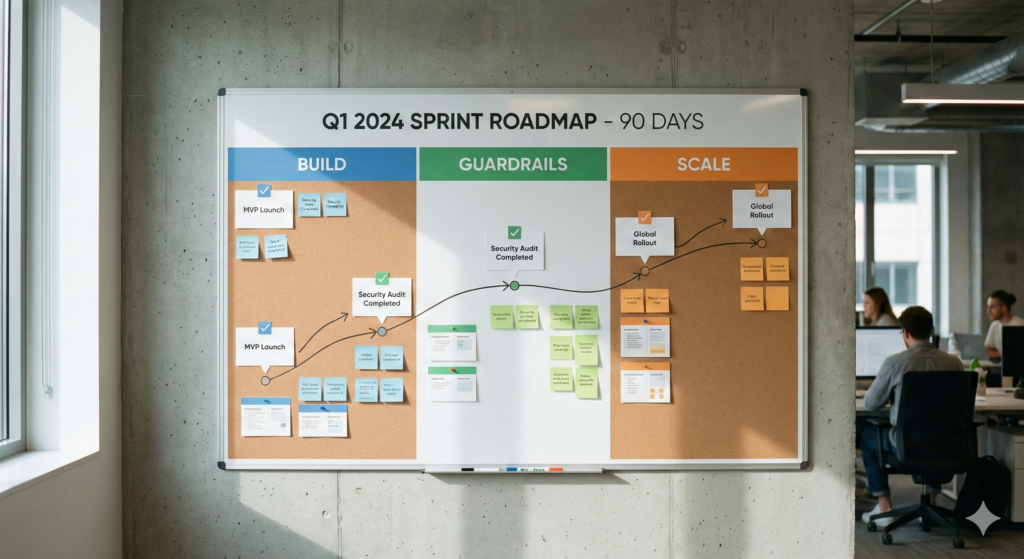
A Simple 90-Day Rollout Plan (Solo, Small Team, or Ops-Heavy)
You don’t need a transformation project. You need a pipeline of small wins that compound.
Days 1–14: Pick One Workflow and Make It Boring
- Choose one workflow with daily/weekly frequency (lead intake, support triage, content pipeline).
- Write a one-page SOP and define “done.”
- Automate intake + classification + draft output.
- Keep human approval for anything external-facing.
Days 15–45: Add Guardrails and Metrics
- Add structured outputs and validation.
- Add error handling and retries.
- Track time saved and failure rate.
- Run weekly 10-minute QA sampling.
Days 46–90: Scale to 3 Workflows + Standardize
- Clone your pattern to two more workflows (onboarding, invoicing, content repurposing).
- Create a shared “prompt + template library.”
- Assign owners and define change control.
Expert call: if you can’t maintain three automations reliably, don’t build ten. Scaling broken systems is how companies become “busy” instead of profitable.
Recommended Products & Tools for AI & Automation
Affiliate disclosure: Some links below are affiliate links. If you buy through them, I may earn a commission at no extra cost to you. I only include products that make practical sense for building reliable automation workflows.
These are not “AI magic wands.” They’re the boring hardware and workflow helpers that reduce friction, improve capture quality, and keep your automation pipeline stable.
Stream Deck / Macro Keypad (Speed up repetitive ops)
Why it’s worth it: If you run daily workflows (content publishing, support triage, admin), a macro keypad pays for itself fast by turning multi-step routines into one tap.
- One-tap shortcuts for recurring tasks
- Consistent execution (fewer “oops” moments)
- Great for creators and ops-heavy solo businesses
USB Microphone (Clean input = better AI outputs)
Why it’s worth it: If you dictate notes, record calls, or create content, better audio improves transcription accuracy and reduces cleanup time downstream.
- Cleaner voice capture for dictation/transcripts
- Fewer misheard names and numbers
- More usable recordings for repurposing
External SSD (Keep assets, logs, and projects organized)
Why it’s worth it: Automations generate a lot of files (exports, recordings, drafts, versions). A fast external SSD keeps your working set tidy and reduces “where did I put that?” overhead.
- Fast file access for large media projects
- Clean archival for logs and workflow exports
- Portable backup for critical assets
UPS Battery Backup (Stop workflow failures from power hiccups)
Why it’s worth it: If your router or workstation drops mid-run, your automations fail silently and you lose time debugging. A UPS keeps your essentials alive long enough to avoid corrupt runs.
- Protects router/modem + key devices
- Reduces downtime and “mystery failures”
- Practical insurance for home offices
Label Maker (Physical organization supports digital automation)
Why it’s worth it: Sounds low-tech, but it fixes a real bottleneck: asset sprawl. Labeled cables, drives, and bins reduce friction and keep your system maintainable.
- Faster setup and troubleshooting
- Cleaner processes for recurring production
- Less time wasted hunting
Smart Plugs + Sensors (Simple automation building blocks)
Why it’s worth it: If you’re automating a studio, home office, or small workspace, smart plugs/sensors give you reliable triggers and routines without custom wiring.
- Automate lights, gear power, and routine setups
- Reduce manual “startup/shutdown” steps
- Easy wins for consistency
One last practical push: if you want this to make you money, pick one revenue-adjacent workflow today (lead intake, follow-up, support triage, onboarding), map it, and automate the boring middle with approvals. Then measure time saved and failure rate for two weeks. That’s how you build automation you can trust—and trust is the whole game.